


Content:
- Enable integration
- Set up integration
- Make the settings in Yandex
- Payment
- Updating data in Yandex
- Possible errors
Enable integration 
- Log in to your Medflex personal account using your username and password from your personal accountProDoctorov.
- Go to the section «Магазин интеграций».

3. Open the category«Лидогенерация», select «Лиды от Яндекса»and click on integration.
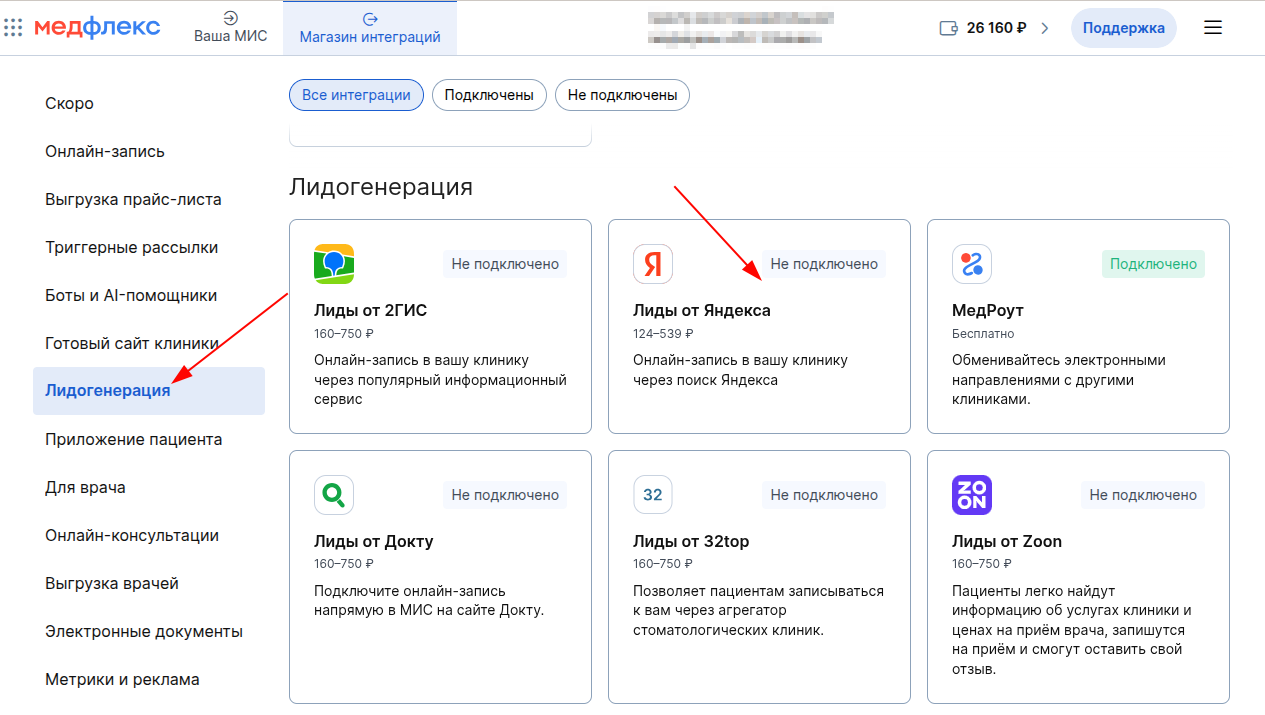
4. Click «Подключить».

Important! For the integration to work, the clinic must have a contract with ProDoctorovMedflex. If there is no contract, contact the personal manager of MedRoket.
Set up integration
After enabling integration, make the settings:
- In the integration store, go to the page «Настройки».
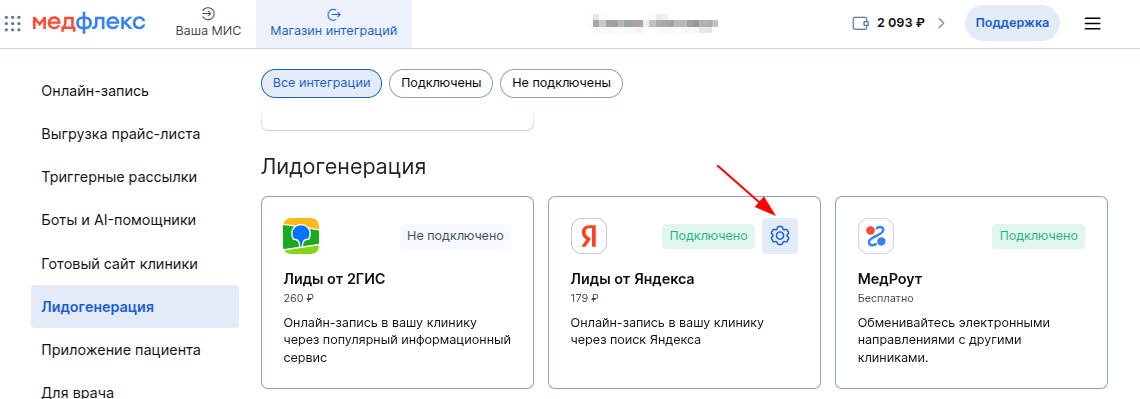
2. Activate the doctors for whom an appointment should be available via Yandex, or disable the unnecessary ones.
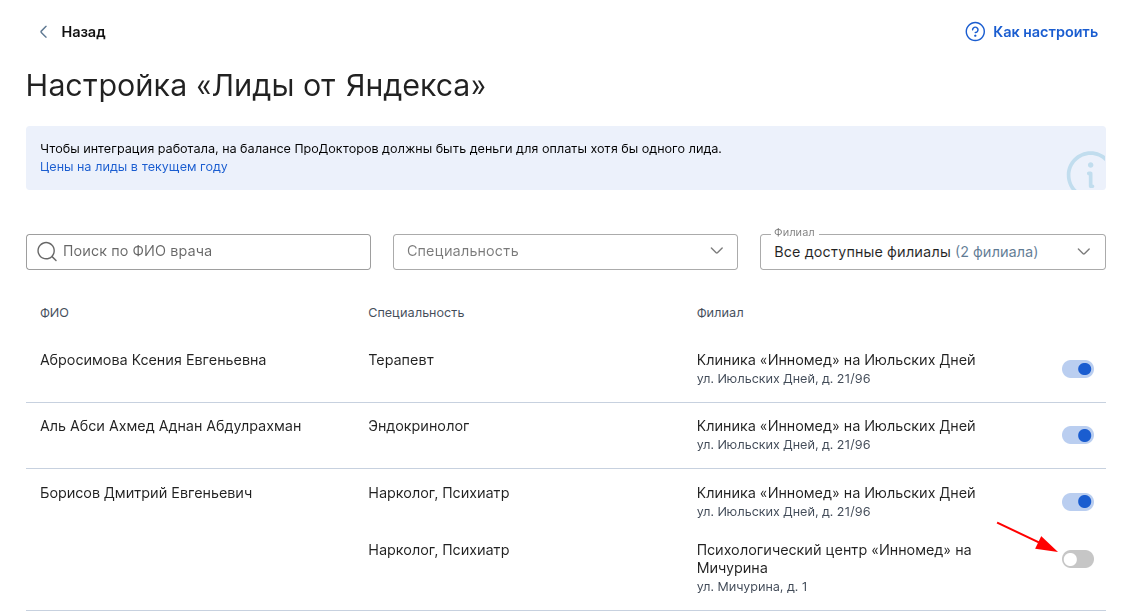
3. If the necessary doctors are not available, add them in your personal accountProDoctorov.
4. Make sure that the selected doctors have:
- the specialty and the cost of admission are indicated (read how to do this in the article).
- online recording is enabled.
Make the settings in Yandex
Delete the clinic's feed in Yandex.Webmaster
Important! Integration will not work if the clinic is already uploading its website feed to Yandex.Webmaster. It needs to be deleted.
In order for the integration with Medflex to start working correctly, log in to your Yandex.Webmaster personal account and delete the clinic's website feed.
- Go to Yandex.Webmaster and log in with your Yandex username and password.
- Click on «Услуги и предложения в поиске»the → section «Фиды и ошибки».
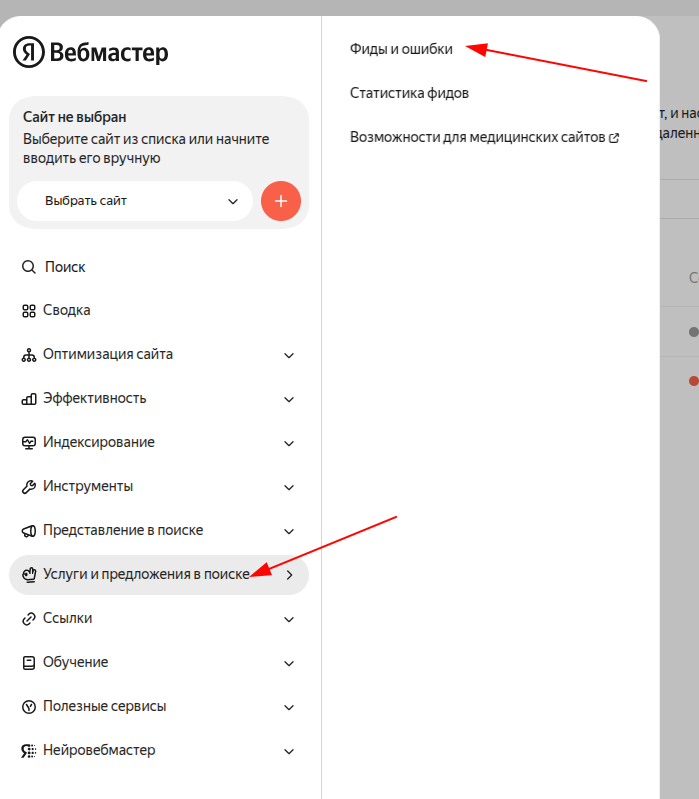
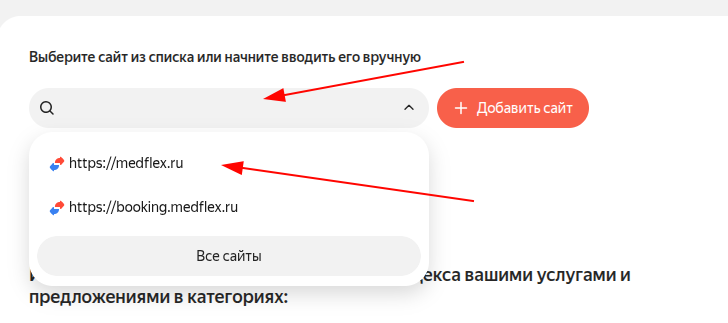
3. Select your website from the list (you will see the address of your website, the image shows medflex.ru for example).
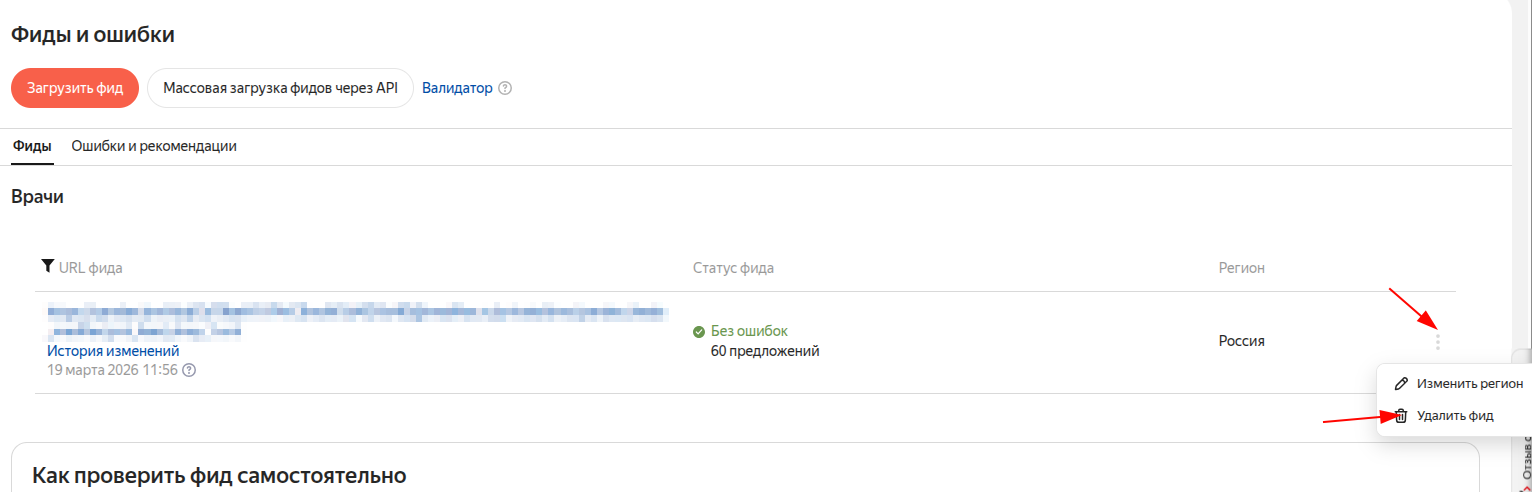
4. Click on the icon «Троеточие»and select the item «Удалить фид».
5. If you don't have a website or a downloaded feed in Yandex.Webmaster, you don't need to delete or add anything.
Set up doctors in Yandex.Business
To display the information about the doctors correctly, follow these steps:
- Log in to your Yandex.Business account.
- Choose your organization.
- Click «Данные»and select an item «Особенности и реквизиты».
- Click«Редактировать».
- «Врачи»Specify the specialties in the field.
- Click«Сохранить».
Check the organization's category in Yandex.Business
Important! Integration will not work if your organization's category in Yandex.Business is «Салоны оптики»or «Ортопедические салоны».
How to check a category:
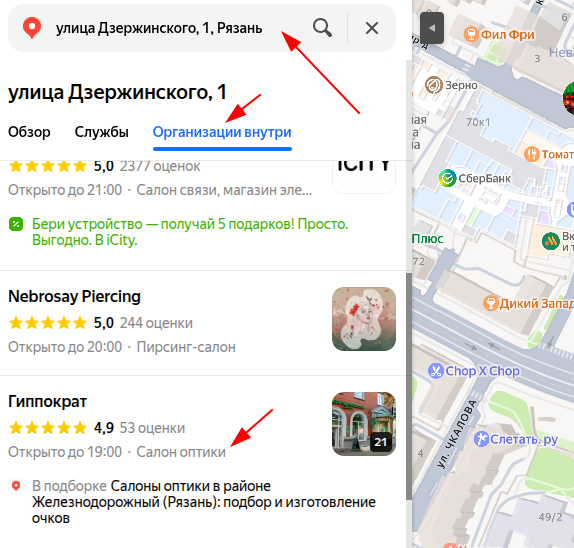
- Open Yandex.Maps and enter the address of your clinic.
- Click on the button «Организации внутри».
- Find your organization in the list — the category is listed under the name.
If the category is specified incorrectly, change it in the organization's settings in Yandex.Business.
If you have completed all the settings on the Medflex side and ProDoctorovchecked all the settings in Yandex, but the online account still does not appear, contact your personal MedRoket manager.
Payment
There are two ways for patients to record through integration«Лиды от Яндекса». The cost paid by the clinic depends on the chosen method.
Recording with slot selection
- On the Yandex page, the patient selects the doctor and clinic for the appointment.
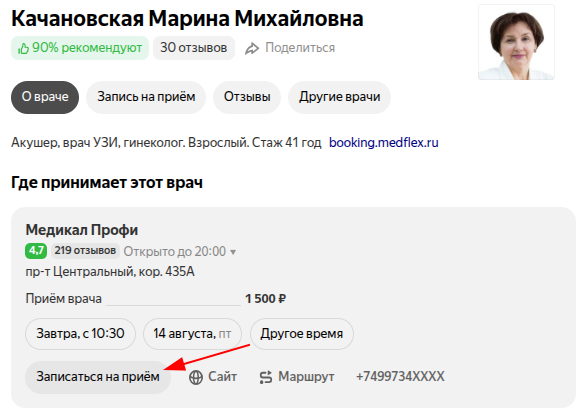
2. Selects the recording slot.
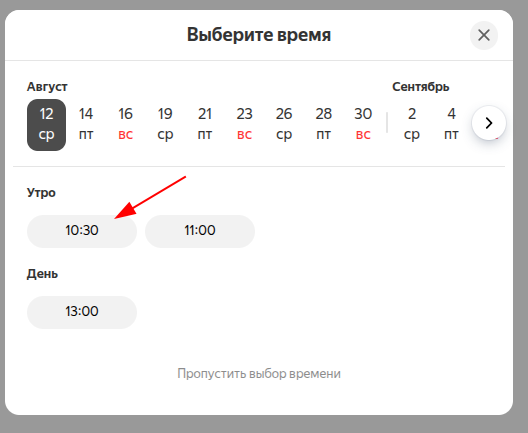
3. Goes to the page of the Medflex widget.
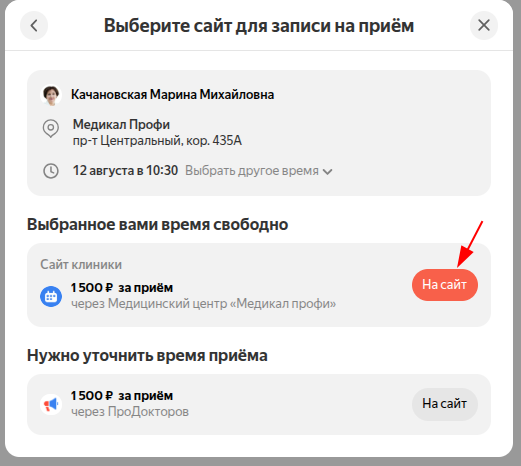
4. In the Medflex widget, the patient's selected recording time and date are automatically inserted.
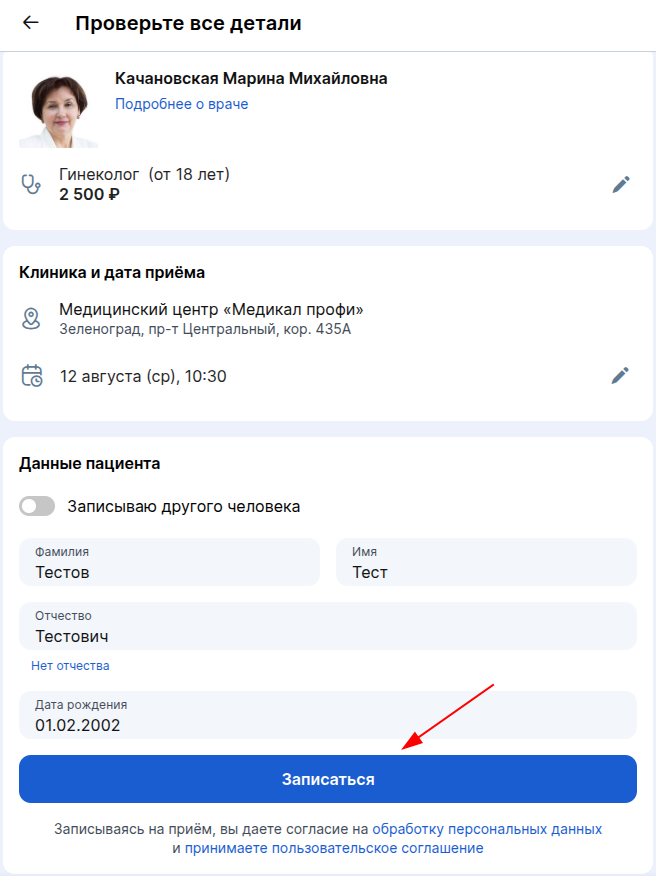
5. Confirms the phone number and completes recording.
The first entry made in this way is charged according to the cost of lead generation in your city. If the patient immediately creates a second entry without closing the widget page, it is charged at the cost of the entry in the widget — 10 rubles.
Recording without selecting a slot
- The patient chooses a doctor and a clinic.
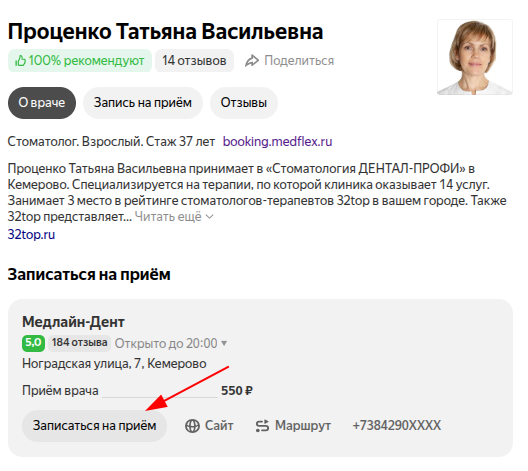
2. Skips the timing.
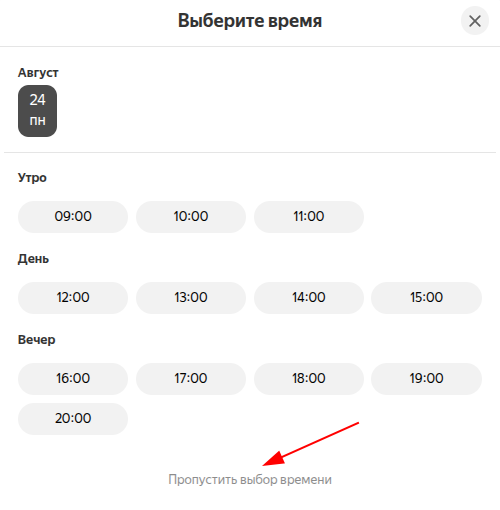
4. Goes to the page of the Medflex widget.
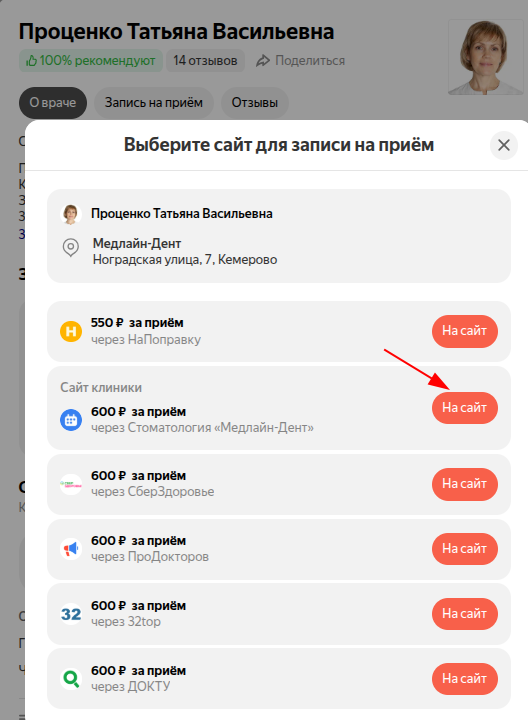
5. Selects a free slot for recording.
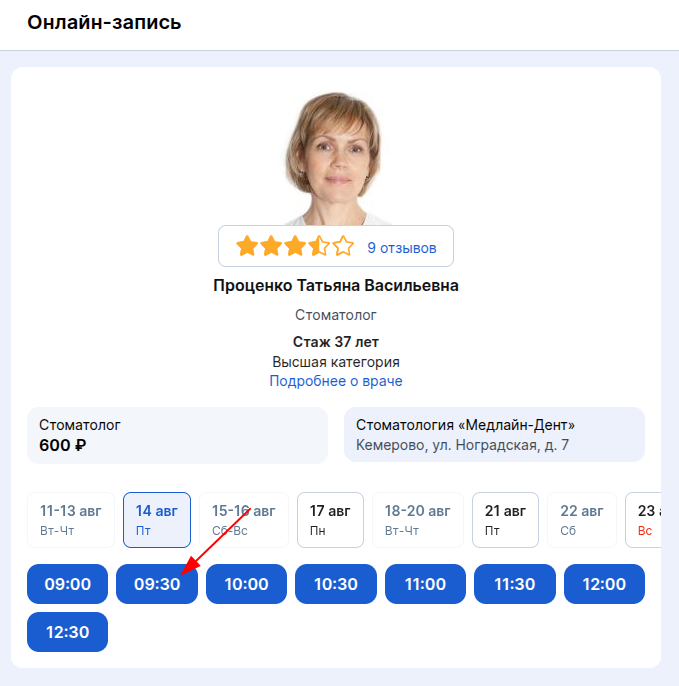
6. Confirms the phone number and completes recording.
For such an appointment, the clinic pays 10 rubles from the Medflex balance.
Cancellation of an appointment by a patient
If the patient cancels the appointment, the money for the lead (debited from both the balance ProDoctorovand the Medflex balance) will not be refunded.
Updating data in Yandex
- Medflex uploads data to Yandex every 4 hours.
- In Yandex, the update takes place with a delay of up to 2 days.
Possible errors
If the integration does not work, the status is displayed in the card«Не настроено». Click on it to see the reasons and a list of clinics that need to be set up.
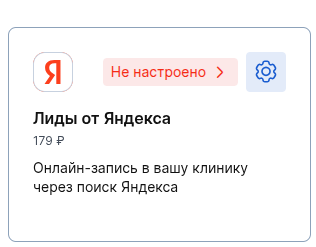
Integration disabled«Ссылка на врача»
Enable integration in your Medflex merchant profile«Ссылка на врача».
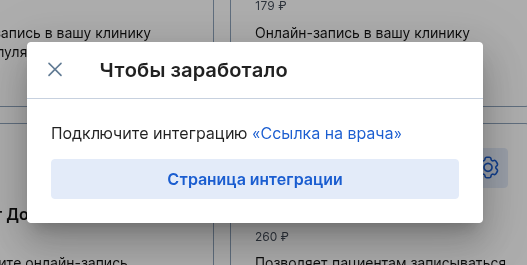
There is no active agreement with ProDoctorov.
Contact the personal manager of MedRoket to conclude a contract.
The clinic's ID is not specified in Yandex.
Your clinic's Yandex ID is not specified in the Medflex. Contact the personal manager of MedRoket and tell him the Yandex ID of your organization.
Online recording does not work
Contact the personal manager of MedRoket to restore the online recording.
Add at least one doctor in your personal accountProDoctorov
Add at least one doctor in your personal accountProDoctorov. Follow the instructions for adding doctors.
In your personal accountProDoctorov, specify the specialty and the cost of admission for doctors
Set up doctors in your merchant profileProDoctorov
- specify the specialty and the cost of admission (read the article on how to do this).
- enable online recording.
The schedule of doctors from the IIA is not transmitted
Contact the personal manager of MedRoket to restore the schedule unloading from the MIS clinic.
All doctors are disabled in the integration settings
Configure the doctors in the integration settings.