


Content:
- The doctor does not log out of the IIA
- The doctor does not have an account forProDoctorov
- The schedules in the MIS and on ProDoctorovdo not match
- The doctor's online appointment is disabled.ProDoctorov
- The doctor is registered on ProDoctorov, but his schedule is not displayed on the portal
- Online appointment to the clinic is disabled due to an upload error
The doctor does not log out of the IIA 
- Make sure that the doctor is registered for ProDoctorov.
- Make sure that the doctor's full name matches in the MIS and onProDoctorov.
The doctor does not have an account forProDoctorov
Read how to register a doctor on ProDoctorovin the article - register a doctor on the portal.
The schedules in the MIS and on ProDoctorovdo not match
The main reasons:
- There are no free slots in the schedule.
- Synchronization with the MIS is not active or is working with an error.
- Technical work is underway on the portal.
- Browser or cache error (especially on mobile devices).
The doctor's online appointment is disabled.ProDoctorov
- Make sure that integration is enabled in the Medflex personal account on the page «Магазин интеграций»in the tab«Онлайн-запись»«Онлайн-запись ПроДокторов».
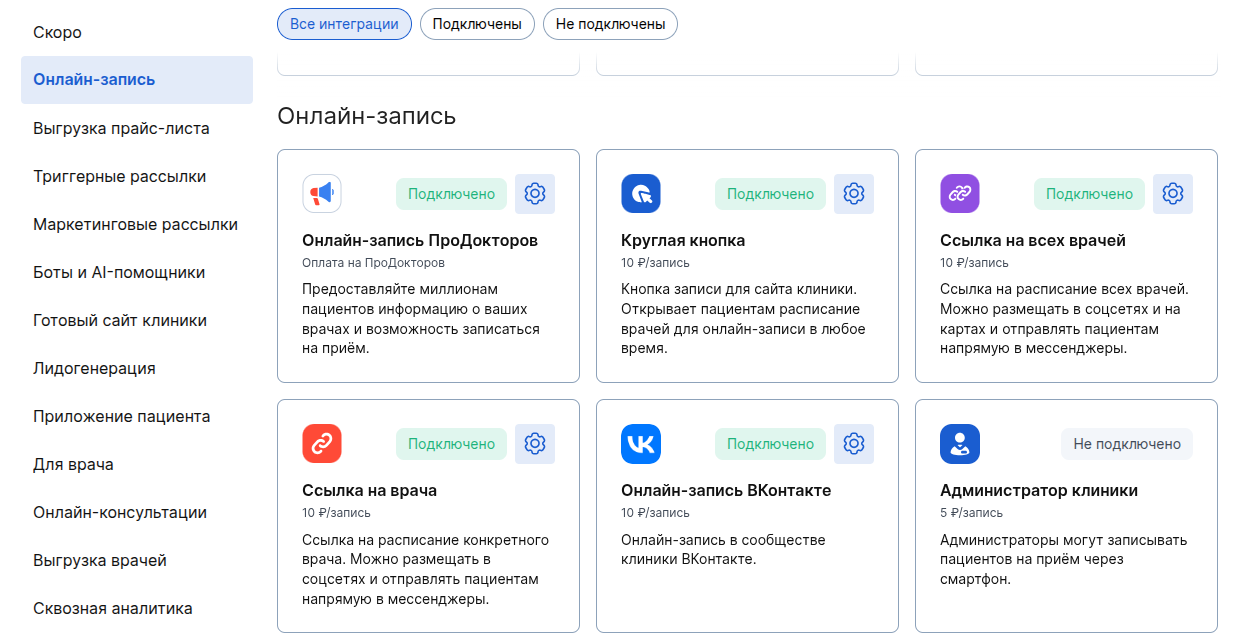
How to enable and configure integration can be found in the article - ProDoctorov: online recording
2. Enable and set up an online account in your merchant profileProDoctorov.
You can find out why online registration in your personal account does not work ProDoctorovin the article - Online registration does not work.
The doctor is registered on ProDoctorov, but his schedule is not displayed on the portal:
- Check if the doctor is enabled in the integration settings«ПроДокторов. Онлайн-запись».
If enabled, go to step 2. - Check whether an entry is enabled in your personal account ProDoctorovfor a specific doctor's specialty.
If enabled, go to step 3. - Check the settings for uploading the doctor's schedule from your MIS. You will need the help of a technical specialist: your sysadmin or an MIS developer.
Online appointment to the clinic is disabled due to an upload error
An «Ваша МИС»inscription will appear in the section«Данные из МИС не выгружаются».
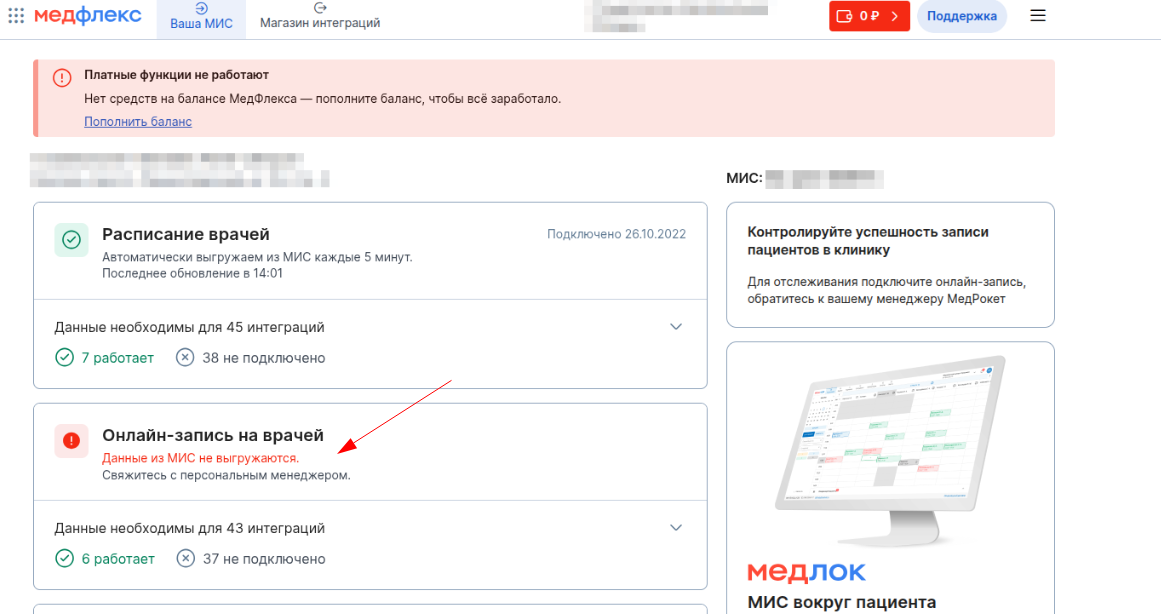
If you find an error uploading data from the MIS, contact your personal MedRoket manager.