


List of employees and main employee services 
The schedule is downloaded from the information register Work schedules
.
Work schedules must be created through a document«Назначение графиков работы». The schedule must fall within the uploaded period.
Path: «Медицинская организация»→ «Сервис»→«Назначение графиков работы».
The medical places in the directory must be filled «Медицинские рабочие места»in.
In medical places, an employee of the directory must be filled «Сотрудники»in. Or, if the attribute is specified Team execution
, add an employee to the table «Исполнители»with the attribute «Ответственный».
Path: «Медицинская организация»→ «Медицинские рабочие места».
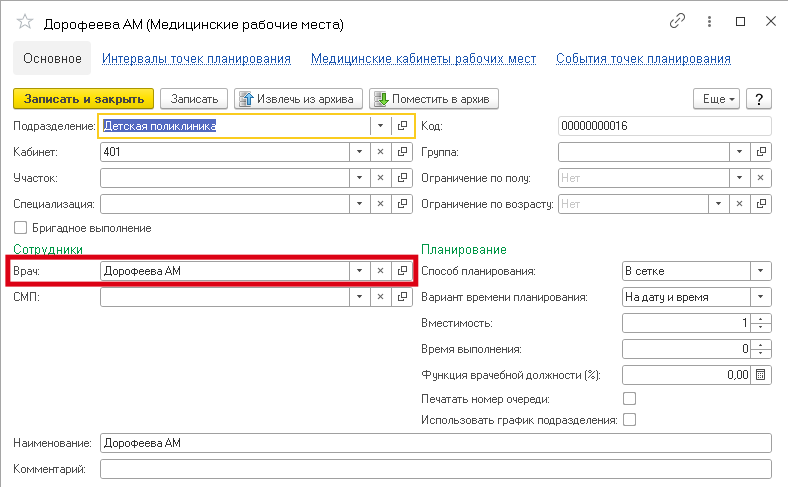
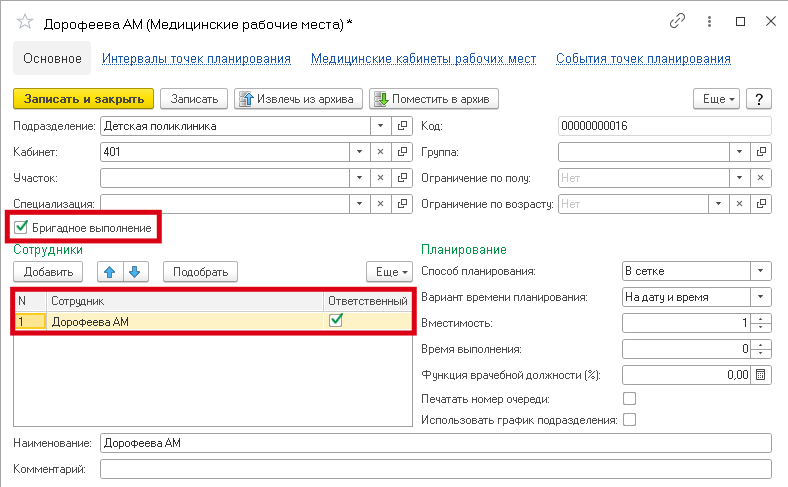
The services are downloaded from the directory «Номенклатура»with an indication of the storage unit«Услуга».
The service must have a reference book specification created«Спецификации медицинских услуг».
Path: «Нормативно-справочная информация»→ «Номенклатура»→ «Спецификации».
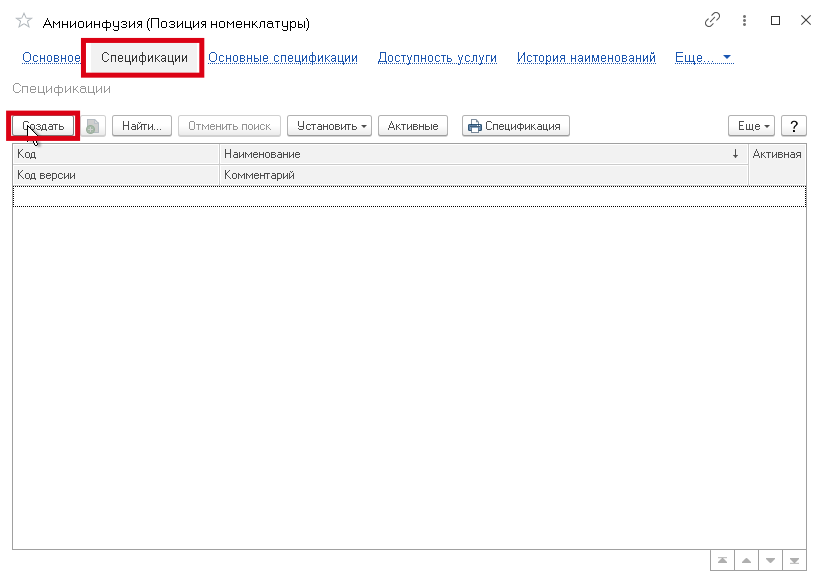
In the service specification, you must specify the desired medical location in the table «Место выполнения»and the time of completion.
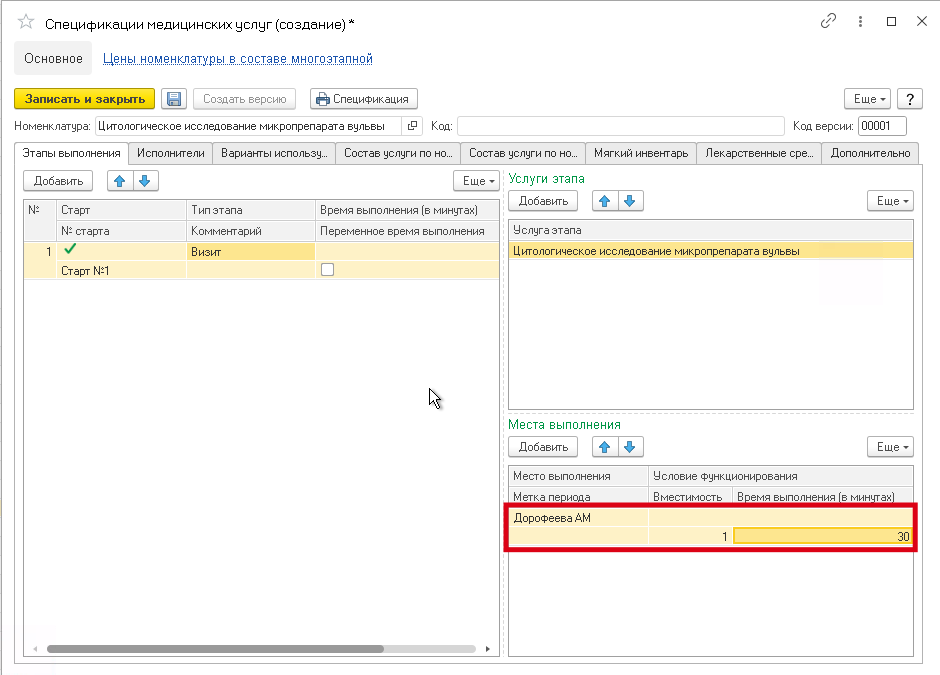
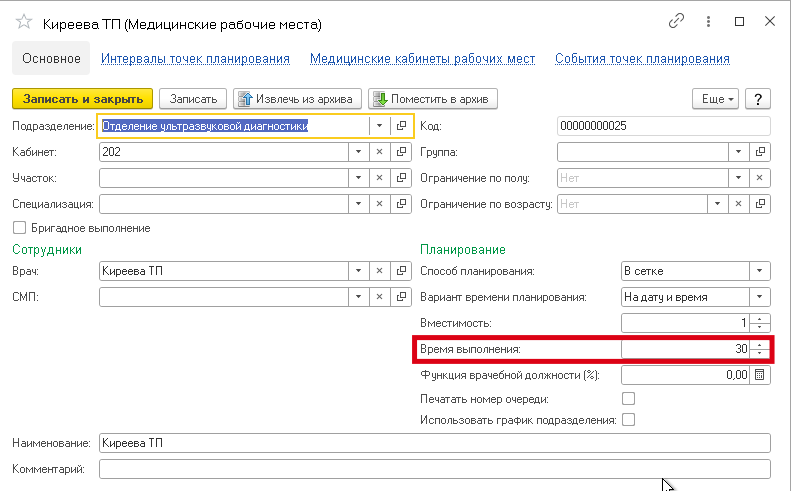
If this «Настройки обмена с МедФлекс»option is not set«Использовать длительность приема из услуг», then the duration of admission from medical workplaces will be unloaded. In this case, you must fill in the field«Время выполнения в медицинском месте».
Path: «Медицинская организация»→ «Медицинские рабочие места».
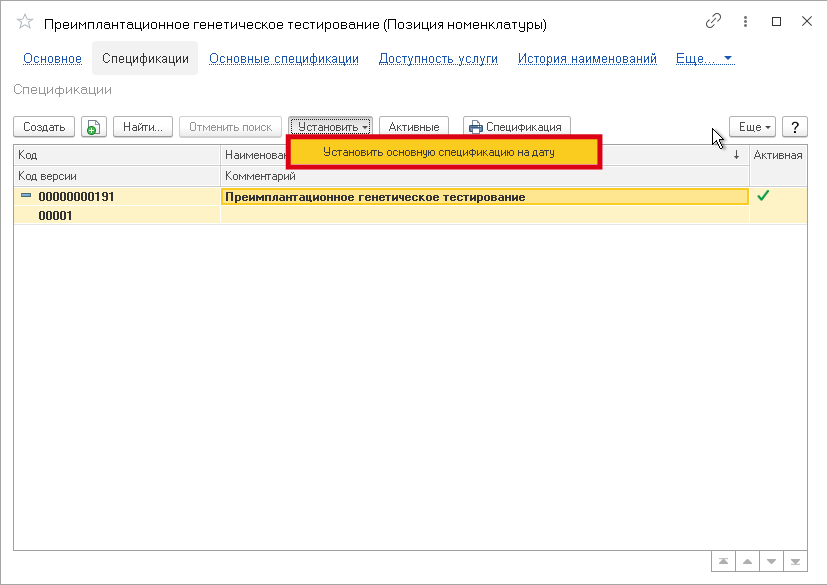
The following attribute is required for uploading«Основная спецификация».
Doctors' schedule
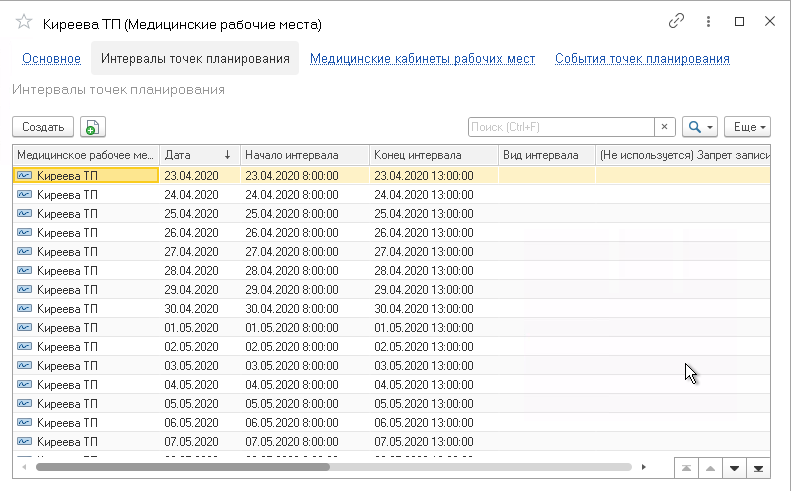
The schedule is downloaded from the information register«Интервалы точек планирования». It should contain the doctor's schedule that falls on the uploaded date.
Path: «Медицинская организация»→ «Медицинские рабочие места»→ «Интервалы точек планирования».
Also, the type of interval should be one of the working ones or simply absent. For example, the interval type «Обед»will not be uploaded.
Path: «Медицинская организация»→ «Графики работы»→ «Виды временных интервалов».
Prices for services
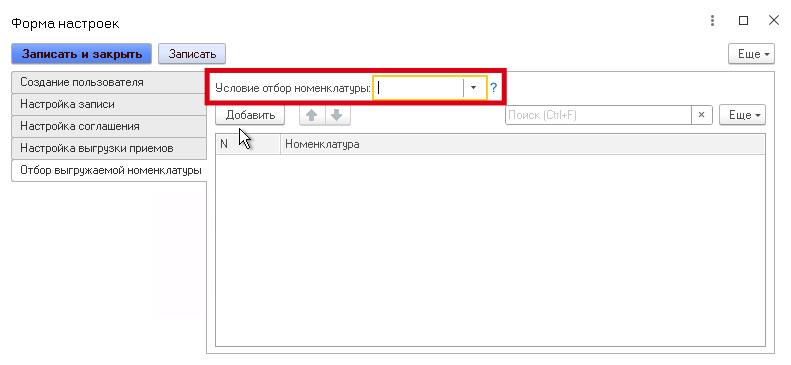
If a «Настройки обмена с МедФлекс»service is specified in the table for selecting the uploaded service, then the selection condition («В», «НЕ В», ) must also be set «РАВНО»in order for this condition to take effect.
«В» — the values contained in the group will be selected (used in the context of groups).
«НЕ В» — values other than those contained in the group will be selected (used in the context of groups).
«РАВНО» — only the element will be selected (used in the context of the elements).
The information register «Графики рабочих мест»should contain the employee's schedule that falls on the date being uploaded.
In the main specification of the service, you must specify the stage of execution in the table«Этапы выполнения».
Also, at least one employee must be specified in the locations.
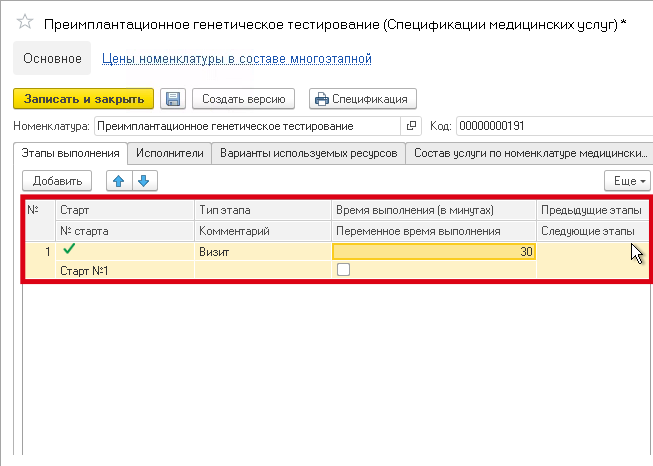
A standard agreement with the directory's clients is required«Соглашения с клиентами».
Path: «Маркетинг»→ «Типовые соглашения с клиентами».
You can create or edit it via «Настройки обмена с МедФлекс».
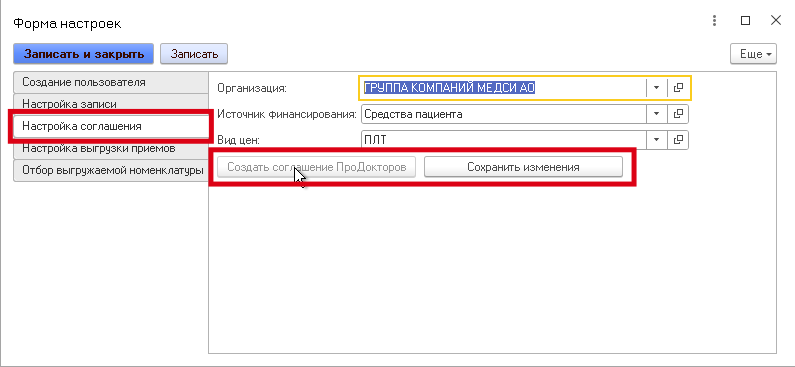
If the agreement ProDoctorov«Дополнительно»specifies an item segment in the tab, then services will be unloaded only from this segment.
Otherwise, all services with prices set in the information register will be unloaded«Цены номенклатуры».
The price must be more than zero, and the service must not be marked for deletion.