Content:
- How to connect Google Calendar
- How to grant access to the calendar
- Details of working with the calendar
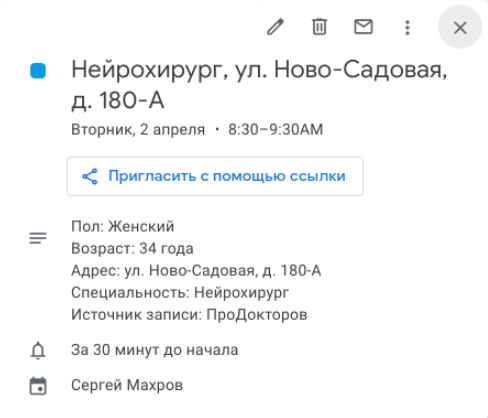
The widget is designed to upload doctors' schedules from the IIA to Google Calendars created for each doctor in the organization.
Unloading is possible from any MIS, from which the Medical Complex can take the schedule.
The schedule is displayed for today +7 full days.
Important! Only existing cells are uploaded to the calendar, this is not an online entry.
How to connect Google Calendar 
- Go to the Medflex personal account in the section «Магазин интеграций».
- In the block«Расписание для врачей», select Google Calendar and click «Подробнее».
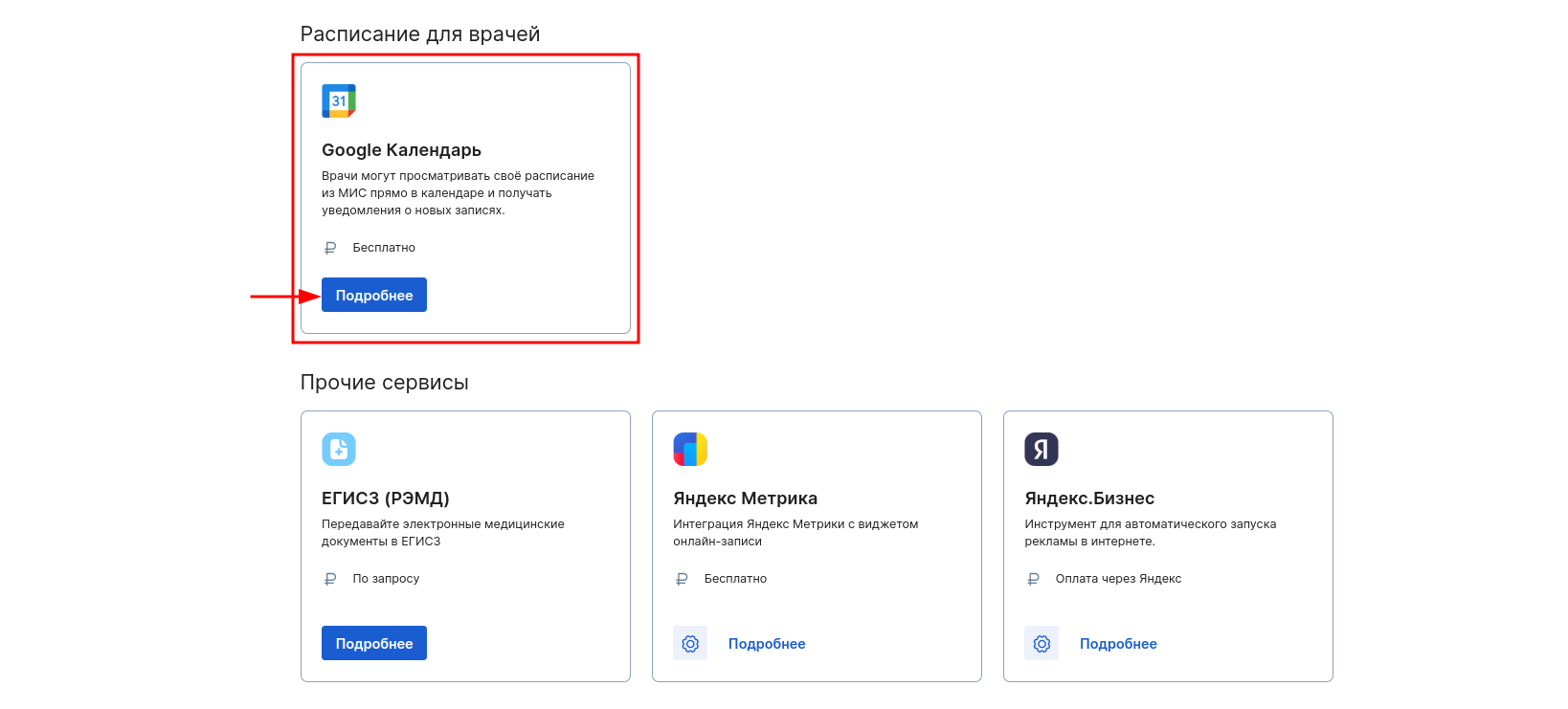
3. Click «Подключить»on the top right.

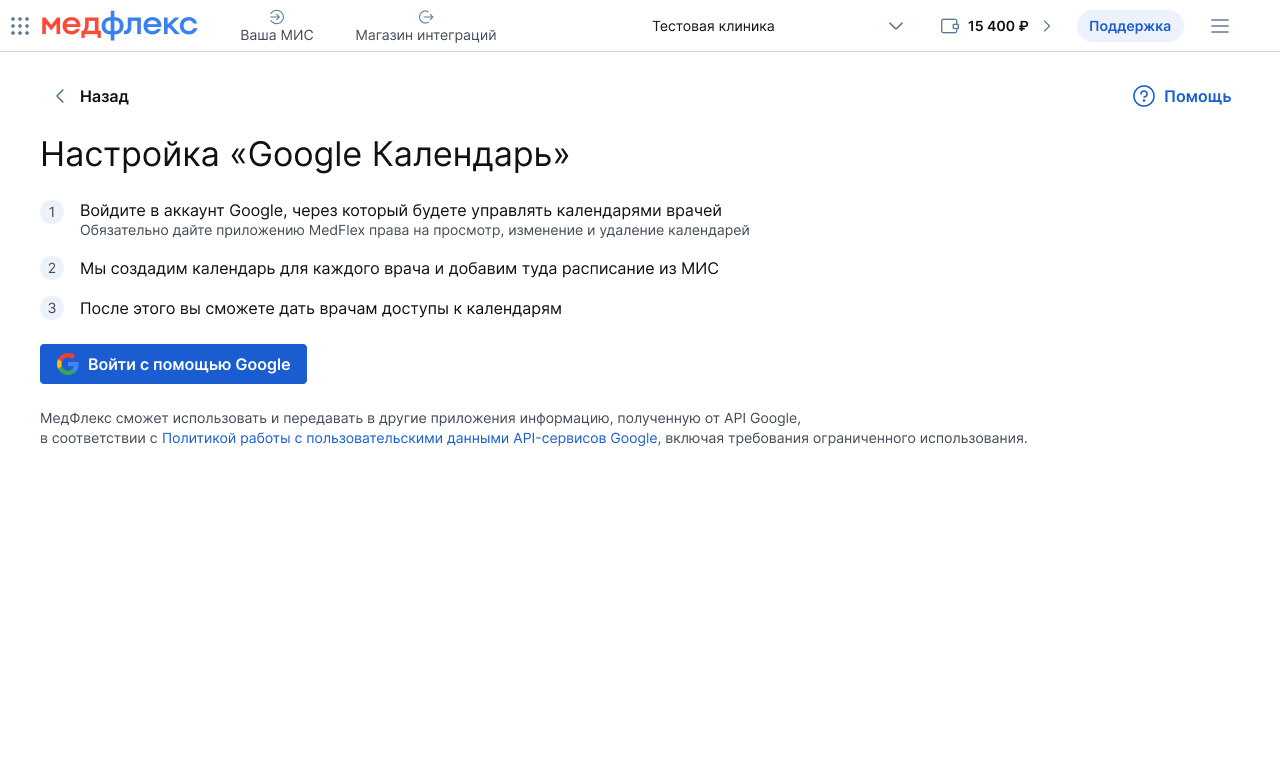
4. After connecting, a button «Подключить»will appear instead of a button«Настроить». Click it.

5. Click «Войти с помощью Google».
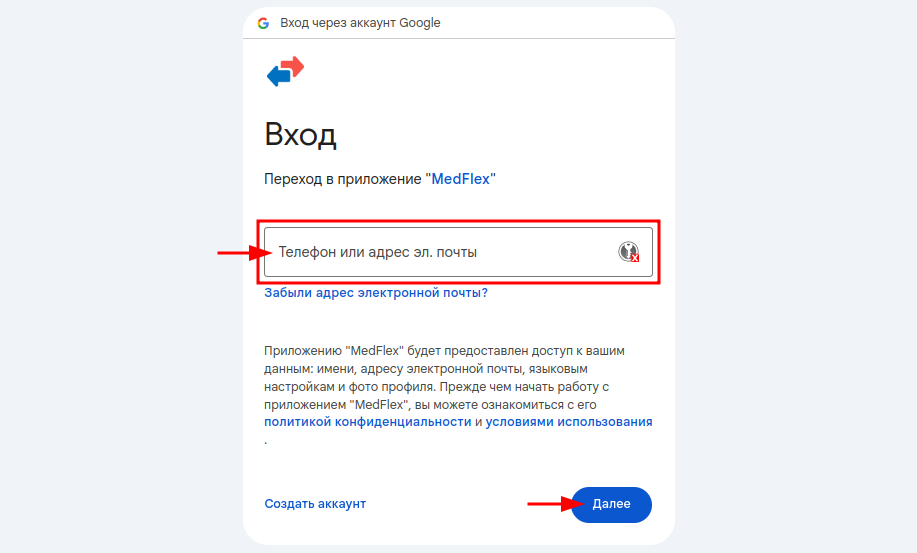
In the window that opens, fill in your Google account information. This may be the account of the clinic or the responsible person on whose behalf the calendars of the clinic's doctors will be managed.
6. Click «Далее»and enter the account password.
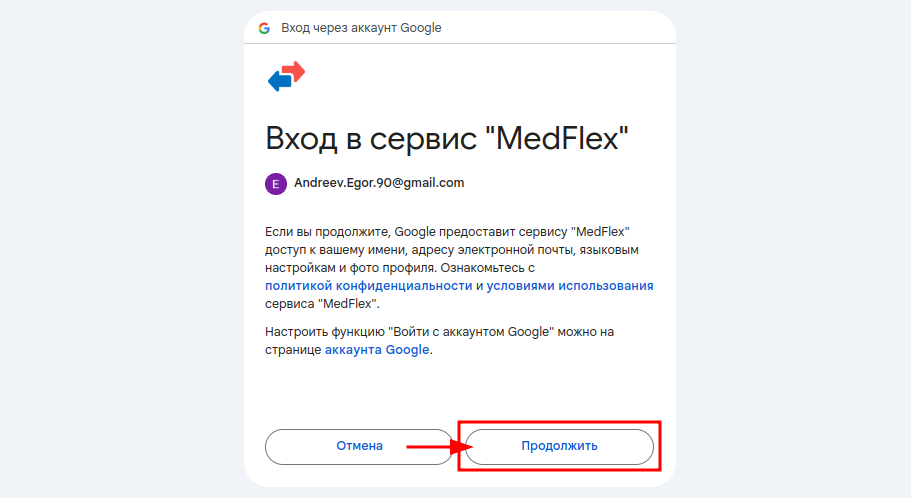
7. Click «Продолжить».
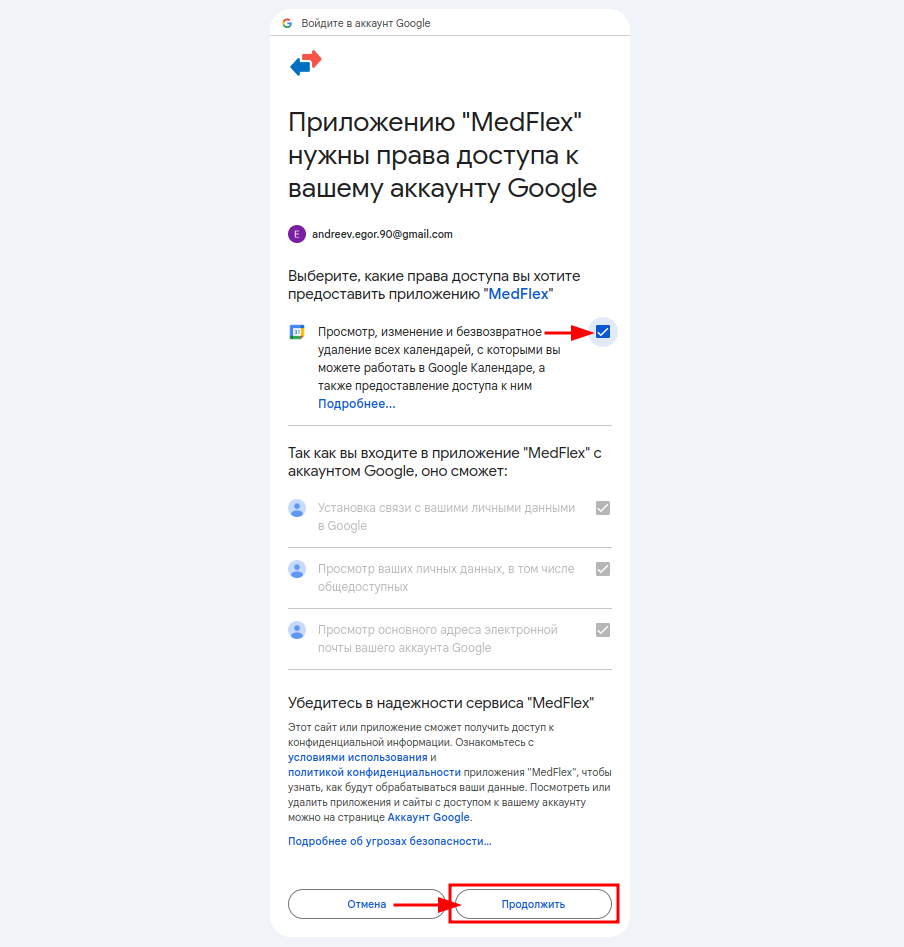
8. Grant the rights to view, edit, and delete calendars. To do this, check the box next to the corresponding request.
9. Click «Продолжить».
How to grant access to the calendar
You can provide access to the calendar via a link or by e-mail.
Important! To access the calendar, the doctor must have a Google account.
Link access
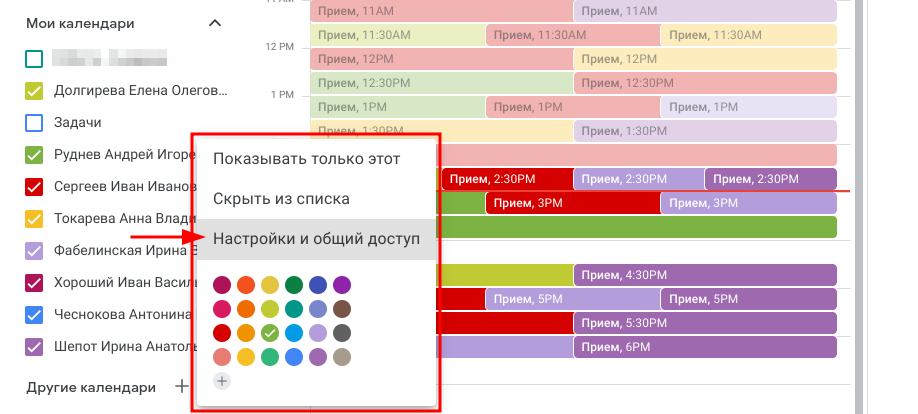
- Click on the three dots next to the calendar of the desired doctor and select «Настройки и общий доступ».
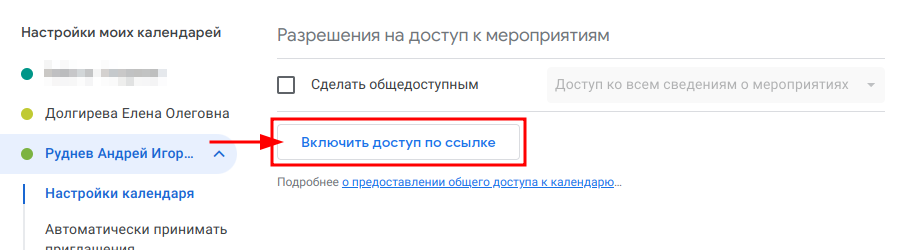
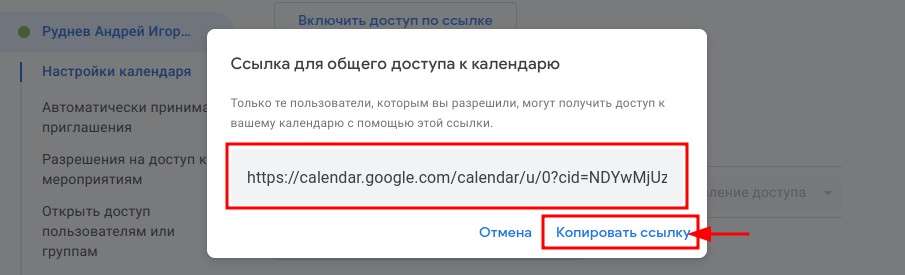
2. In the block«Разрешения на доступ к мероприятиям», click «Включить доступ по ссылке».
3. Copy it and send it to the doctor.
Access by mail
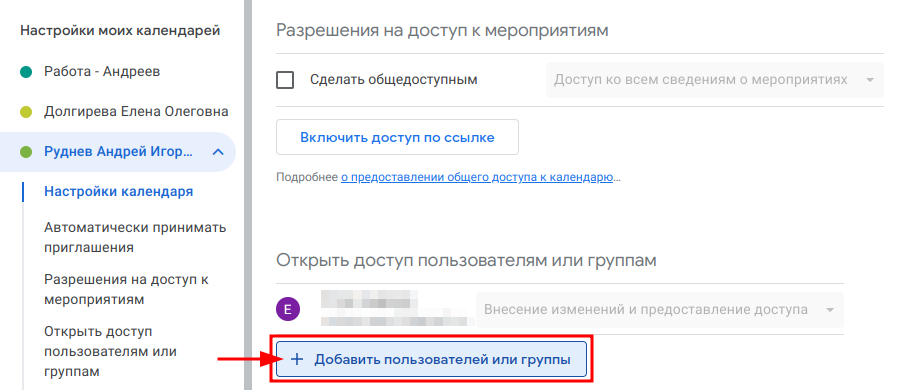
- Click on the three dots next to the calendar of the desired doctor and select «Настройки и общий доступ».
2. In the block«Разрешения на доступ к мероприятиям», click «Добавить пользователей и группы».
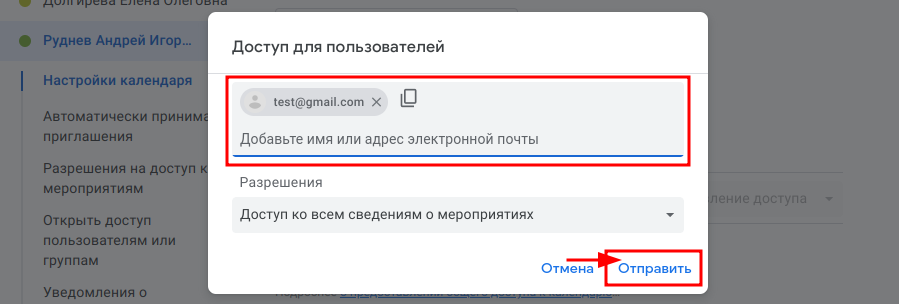
3. Add the Google mail of the doctor you are going to grant access to.
Details of working with the calendar
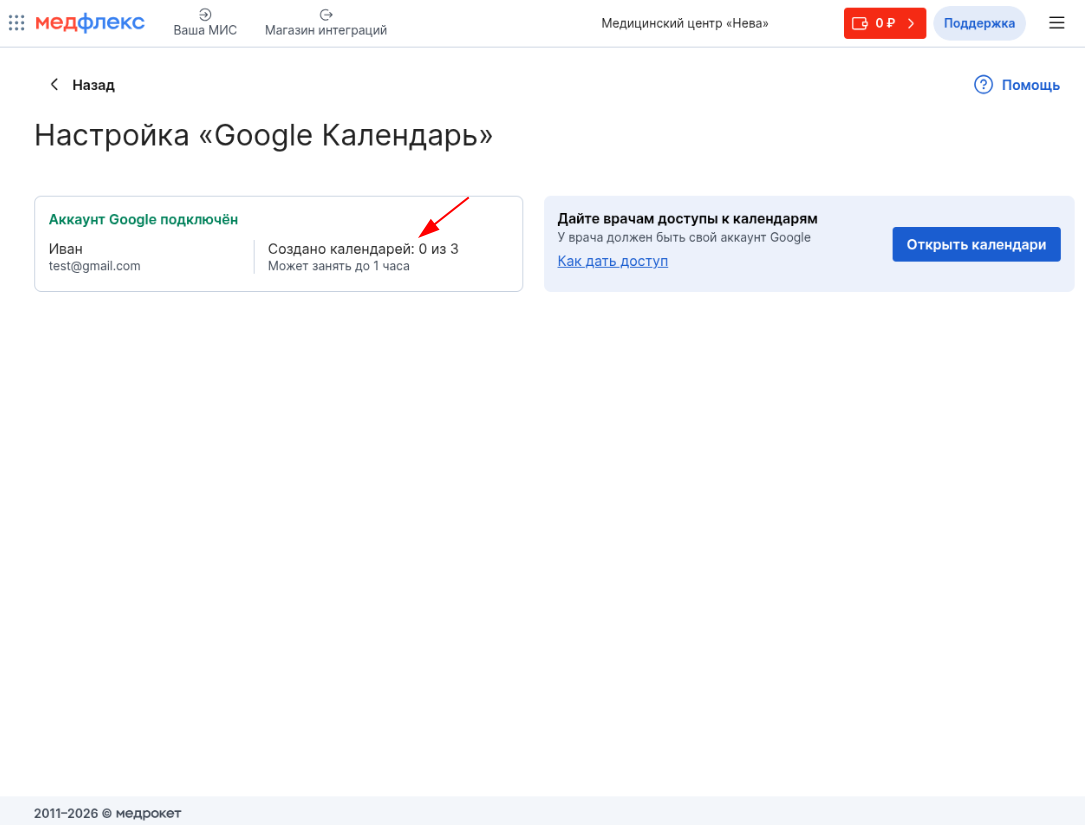
- In the integration settings, you can always see the number of generated calendars.
- The information about the record gets from the IIA to the calendar immediately, it takes from a few seconds to 1-2 minutes.
- Calendars are uploaded only for those doctors who have a confirmed card on the website. prodoctorov.ru .
- An expanded set of data: the name of the specialty, the gender and age of the patient, the address of the clinic, and the source are available only for records made through Medflex, MedtochkaProDoctorov, and also for all records in MIS Medlock.
In other cases, the reception will be indicated simply by a word«Приём».