


Content:
- Step 1. Sign a contract with Medflex
- Step 2. Enable Integration
- Step 3. Set up access rights for doctors
- Step 4. Receive payment for the online consultation
After the integration is installed, the doctor will be able to set up his schedule for appointments after business hours.
To use this integration, you need to:
- Sign a Telemed agreement.
- Sign a license agreement with Medflex.
- Enable online recording on ProDoctorov.
- Make sure that the doctors are registered on ProDoctorov.
How to enable integration 
Step 1. Sign a contract with Medflex
1. Log in to the section in your personal account at «Магазин интеграций»Medflex.
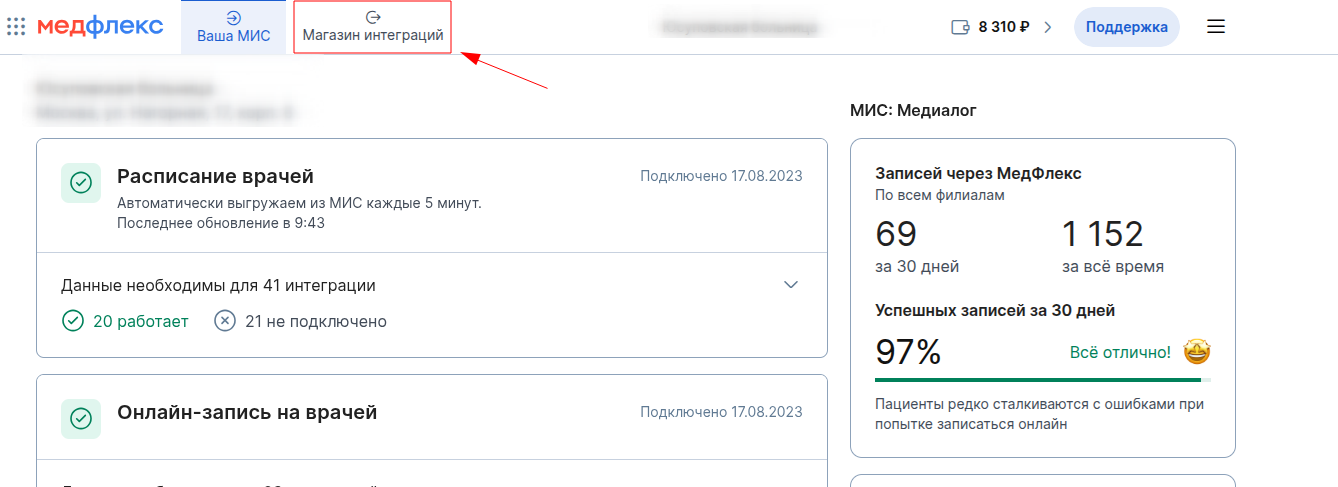
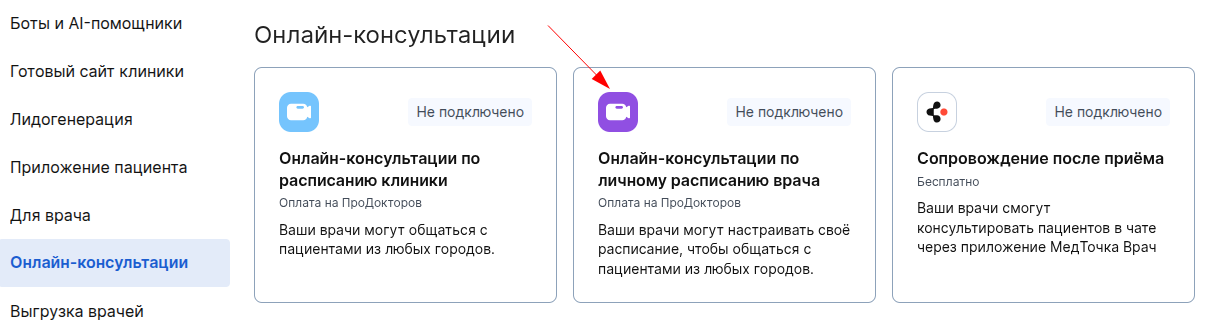
2. In the tab«Онлайн-консультации», select «Онлайн-консультации по расписанию врача»and click on integration.
3. On the page that opens, at the top right, click «Отправить заявку».

4. Leave your phone number and name. The manager will contact you to conclude the contract.
If you don't want to wait for a call, write to us at help@medrocket.me .
Step 2. Enable Integration
After signing the agreement, the button «Отправить заявку»will change to «Подключить». Click it.

Important! The agreement is common for integrations «Онлайн-консультации: расписание клиники»and «Онлайн-консультации: личное расписание врача».
Step 3. Set up access rights for doctors
In order for a patient to make an appointment with a doctor for an online consultation, the doctor must set up his schedule in the Medtochka Doctor app.
To do this, you must grant him the appropriate rights in the integration settings in Medflex.:
1. Go to the integration settings and click on the corresponding page«Настроить».

Alternatively, use the gear icon on the integration card in «Магазине интеграций».
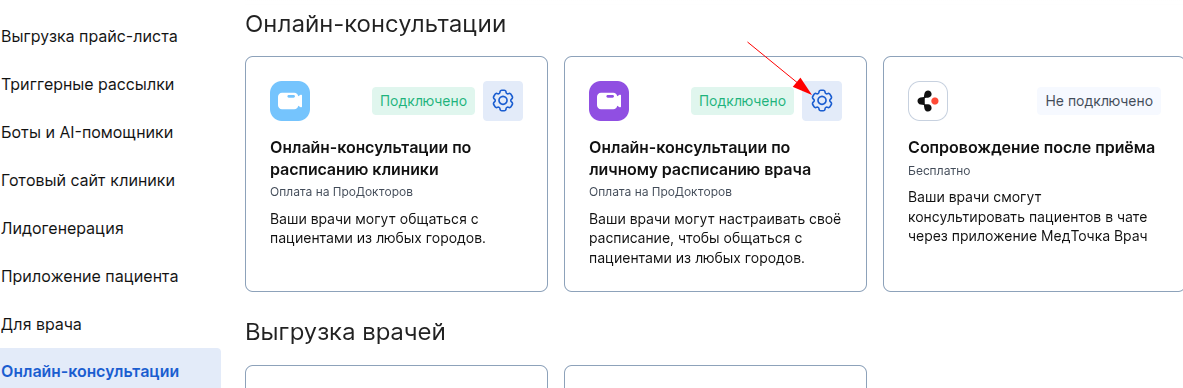
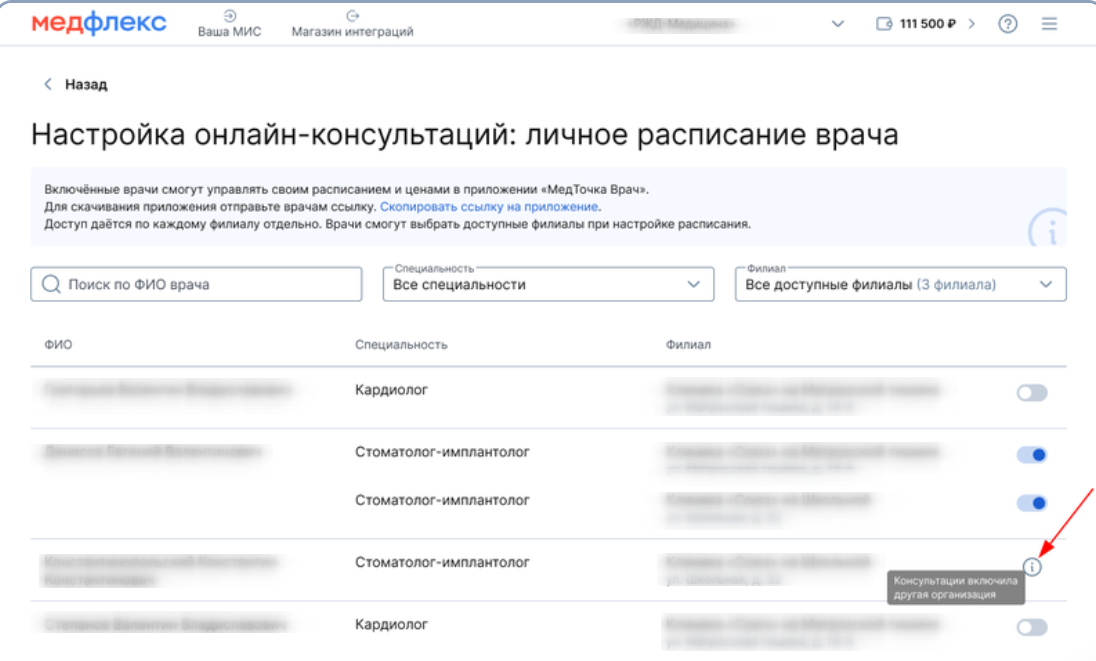
2. Enable personal schedule settings for the required doctors.
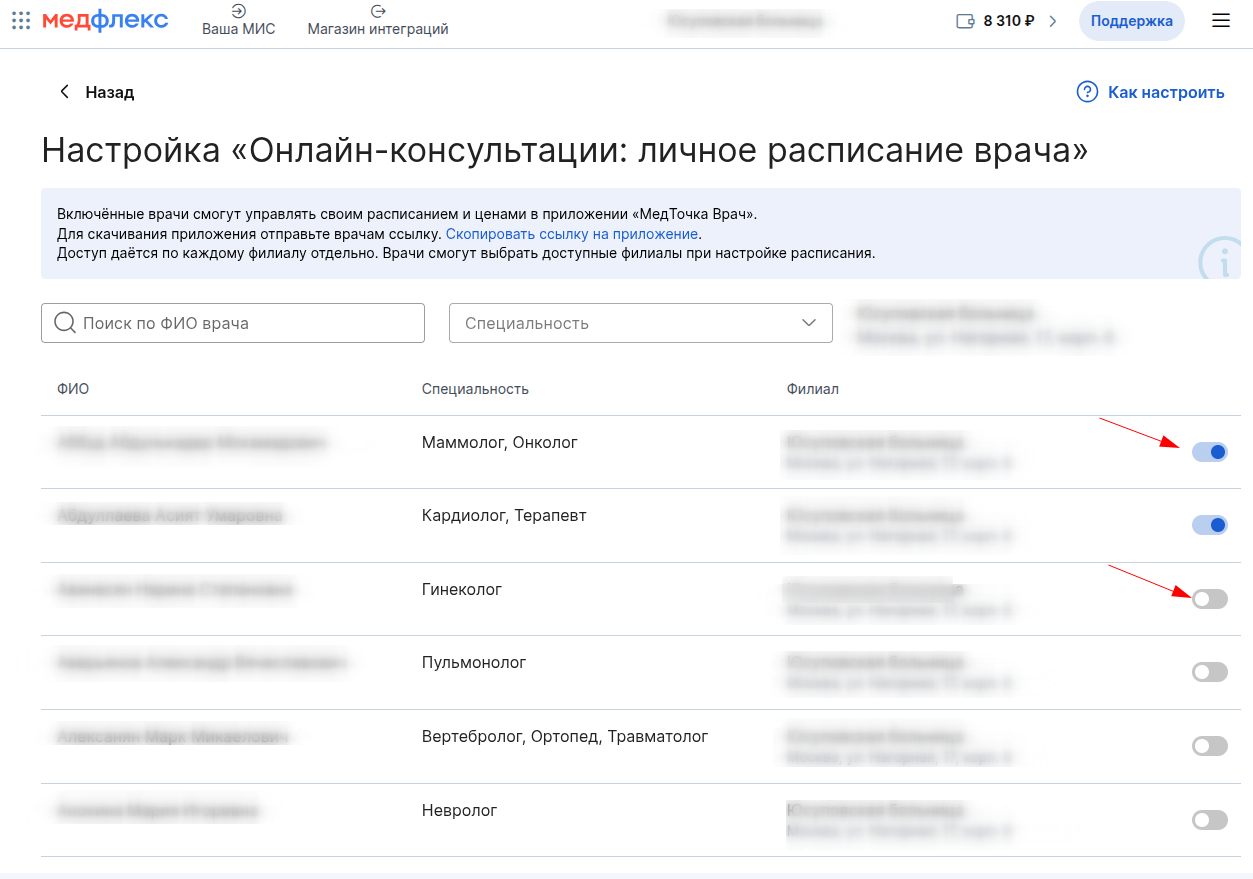
The doctor will have access to schedule editing within 5 minutes.
Access is given to each branch separately. Doctors will be able to select available branches when setting up a schedule.
A doctor can set up a schedule only in clinics of the same organization. If another organization has already granted the doctor access, you will not be able to grant it again. Instead of the switch, the doctor will display the corresponding informer.
Step 4. Get paid for the online consultation
After the patient pays for the appointment, the funds are credited to the current account of MedRoket. To view the record history and find out the amount to be received, read the article List of records and report.
Important! Under the agreement, Medflex deducts 10 rubles from the Medflex balance from each paid appointment, as well as 10% of the cost of the online consultation.
Once a month, from the 5th to the 10th, funds for all paid online consultations in the past month (minus 10% commission) are transferred to the clinic's checking account.
To view the list of upcoming consultations, read the Upcoming Appointments article.