


Content:
- How to open the online recording history
- Filters
- Additional Filters (Coming soon)
- Table of records
- Uploading a report
Online record history is a section of the Medflex personal account where you can view all patient records for the last 3 months received through connected integrations.
The amount in the table is indicated only for records paid from the Medflex balance.
How to open the online recording history 
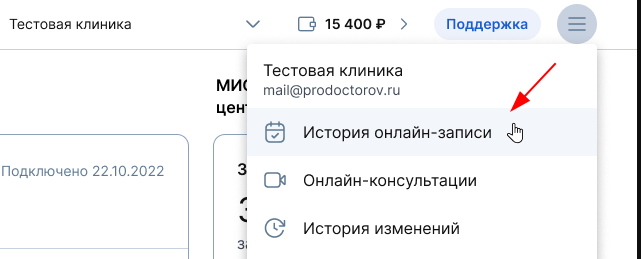
- Click on the burger button in the upper-right corner of your merchant profile.
- In the menu that opens, select «История онлайн-записи».
Filters
There are filters at the top of the page to search for the desired entries.
- Month is a drop—down list with the last three months. The current month is selected by default.
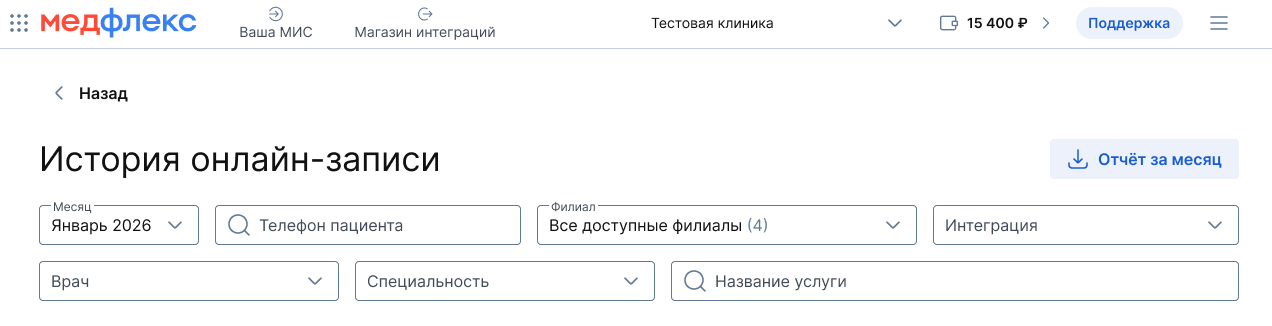
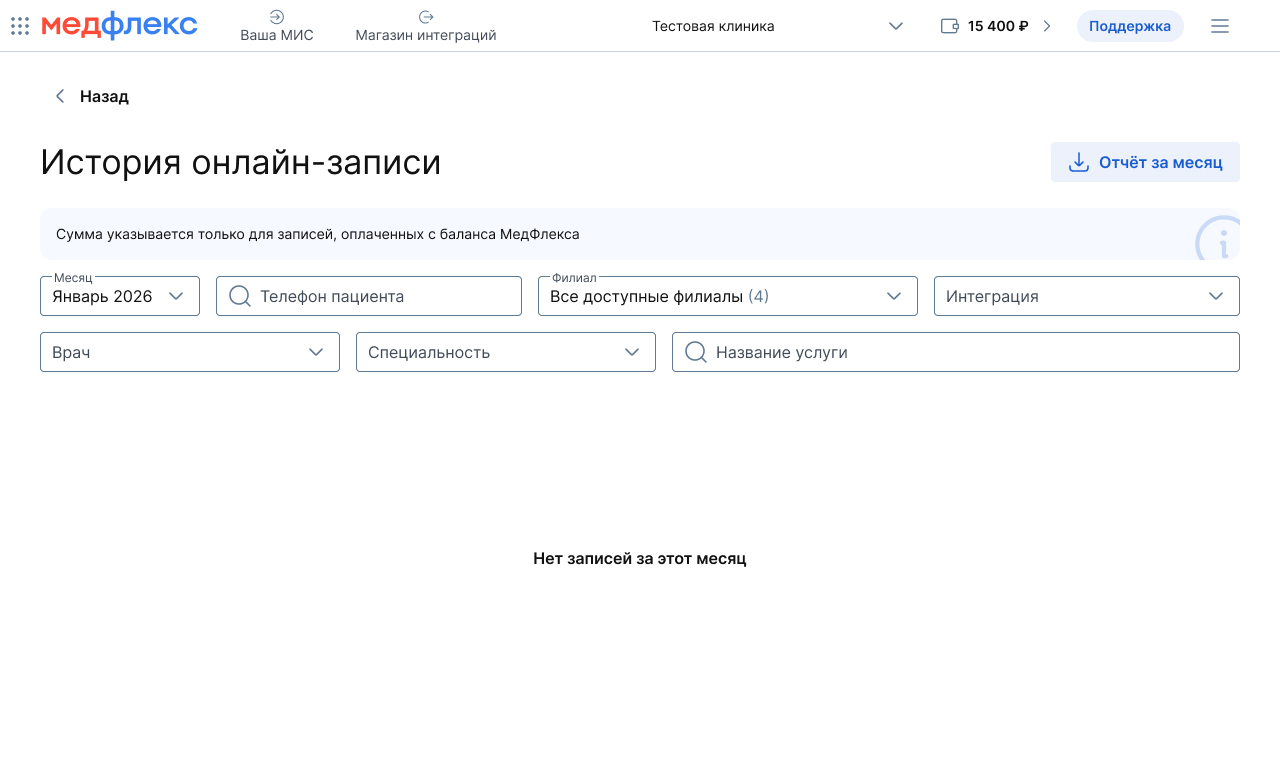
If there are no records for the selected filters, a message is displayed«Нет записей за этот месяц».
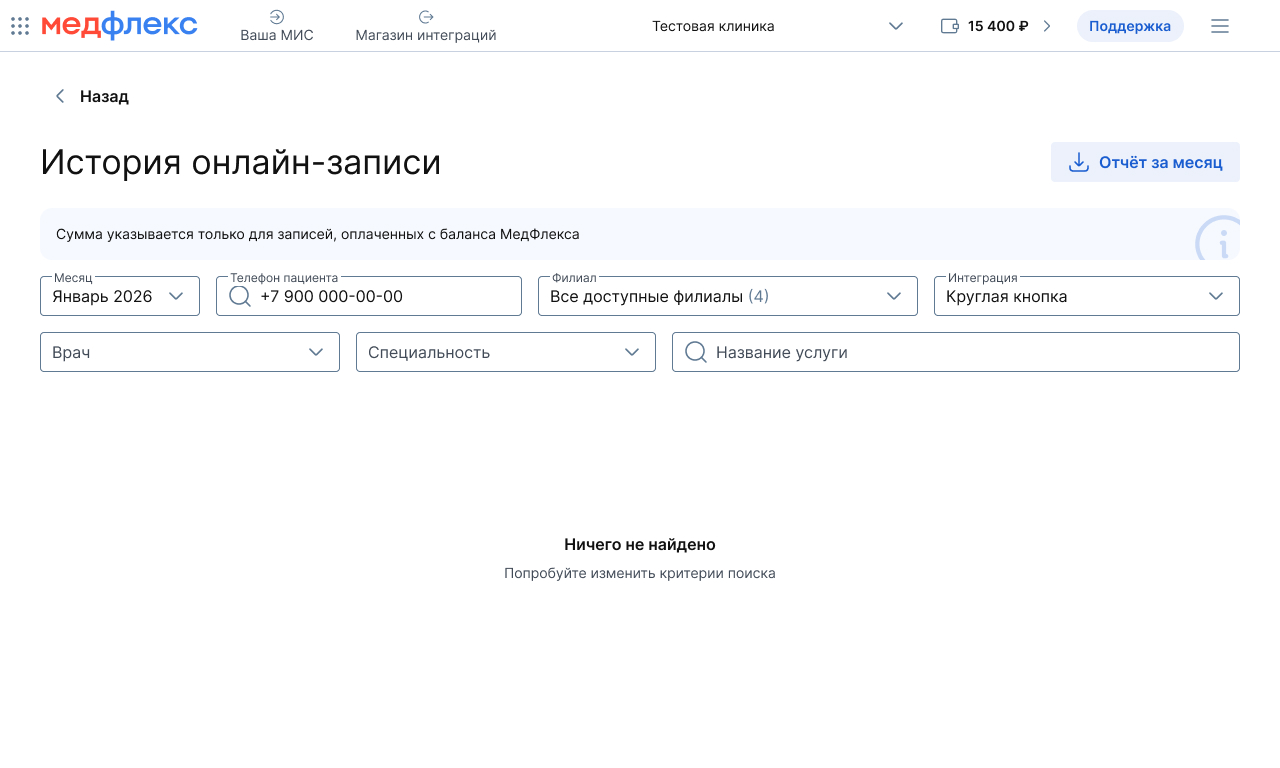
If filters are set, but nothing is found — «Ничего не найдено. Попробуйте изменить критерии поиска».
Additional Filters (Coming soon)
- The patient's phone number is the search field. The number is entered in the format +7 XXX XXX XX XX.
- Branch — By default, all available branches are selected. You can choose a specific one.
- Integration — the list shows only those integrations for which there are records in the table. The list is sorted alphabetically. If there are no records, it is displayed «Отсутствуют данные».
- Doctor — the list shows all doctors in all branches, sorted alphabetically.
- Specialty — the list shows only those specialties for which there are records in the table. The list is sorted alphabetically. If there are no records, it is displayed «Отсутствуют данные».
- Service name — the search field for the service name.
Table of records
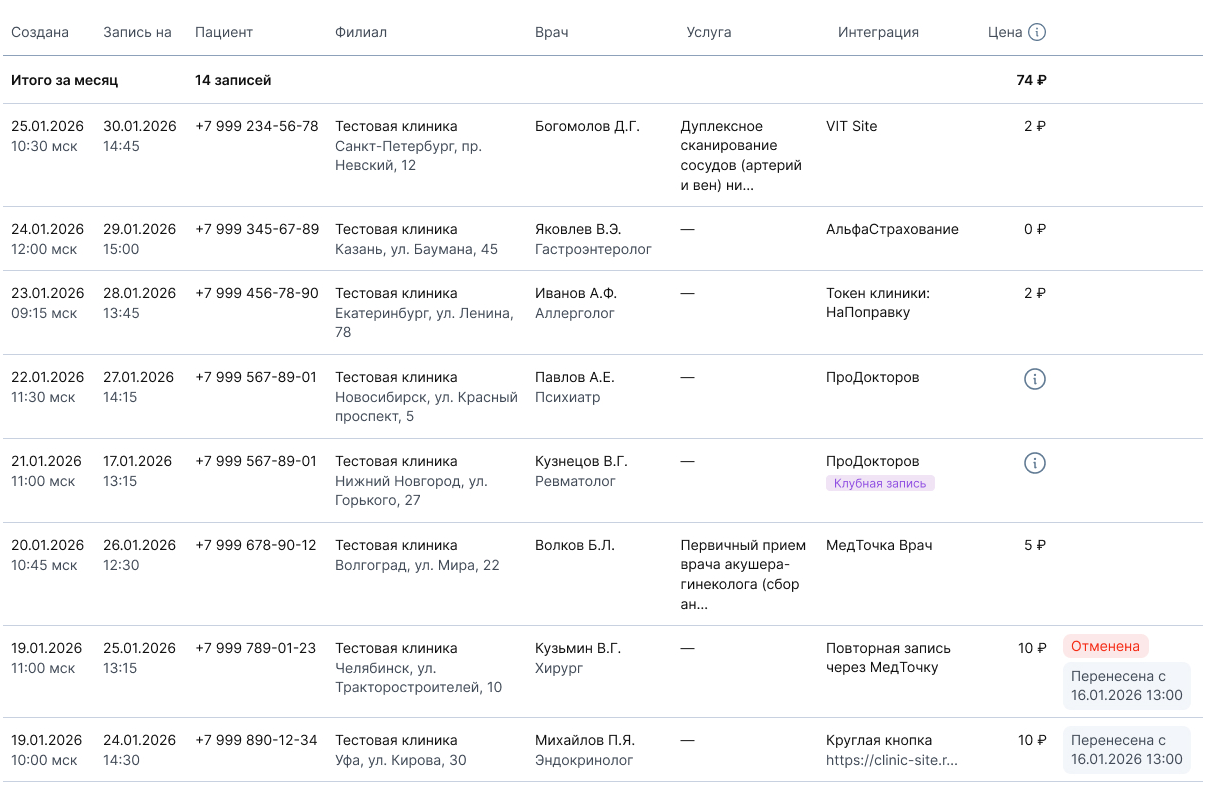
A table with all records for the selected period is displayed under the filters. The row «Итого за месяц»shows the total number of entries and the total cost.
Table columns:
- Created — the date and time when the record was created.
- Appointment for — date and time of reception.
- Patient — the patient's phone number.
- Branch — the name and address of the clinic's branch.
- Doctor — full name and specialty of the doctor.
- Service — the name of the service, if an entry is made for the service.
- Integration is the source through which the recording came.
- Price — the cost of recording. It is indicated only for records paid from the Medflex balance.
Uploading a report
To download the monthly data, click «Отчёт за месяц»in the upper-right corner of the page. The report will include:
- Date of recording.
- The patient's phone number.
- Branch.
- Full name of the doctor and the name of the service.
- Date of admission.
- The cost of online registration.
- Source: type of widget or integration.
- Channel: The Internet resource hosting the widget.

The report is downloaded as a file in the format .XLSX