


Content:
- What data from the IIA is needed
- How to set up integration
- How can a doctor record a patient?
- Possible errors
Medtochka Doctor is an application for a doctor in which he sees his schedule from the IIA and the details of the appointment.
The integration of the Medtech Doctor with the Medflex will allow the clinic to allow doctors to independently record patients through the application.
The doctor himself will be able to book a patient for a repeat appointment without the participation of an administrator or record a regular client by prior arrangement.
All entries will go directly to the IIA.
What data from the IIA is needed 
- Doctors' schedules.
- Online recording.
How to set up integration
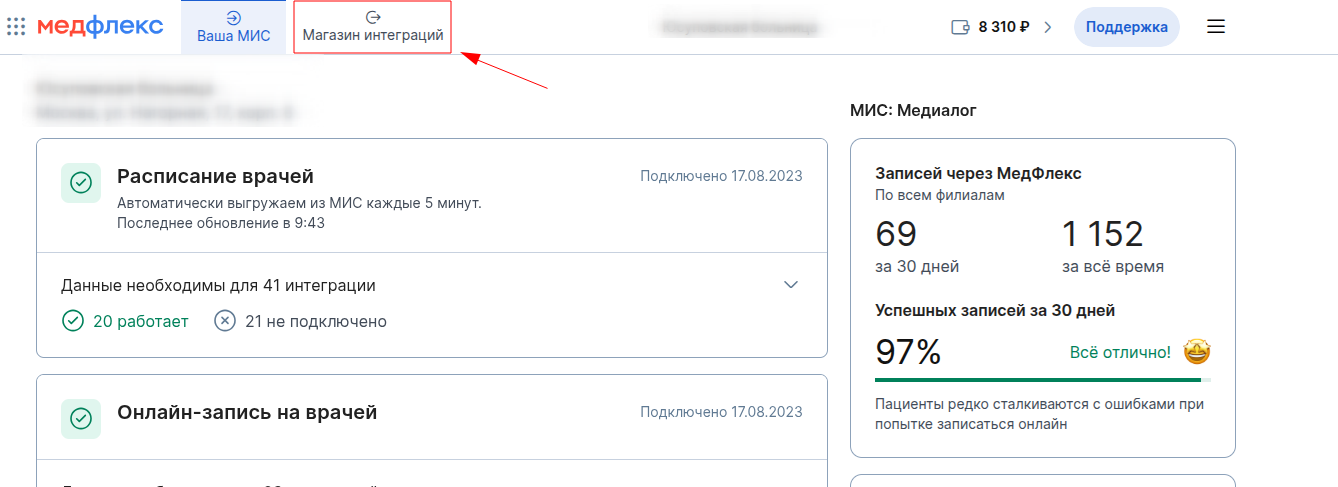
- Go to the «Магазин интеграций»Medical Center.
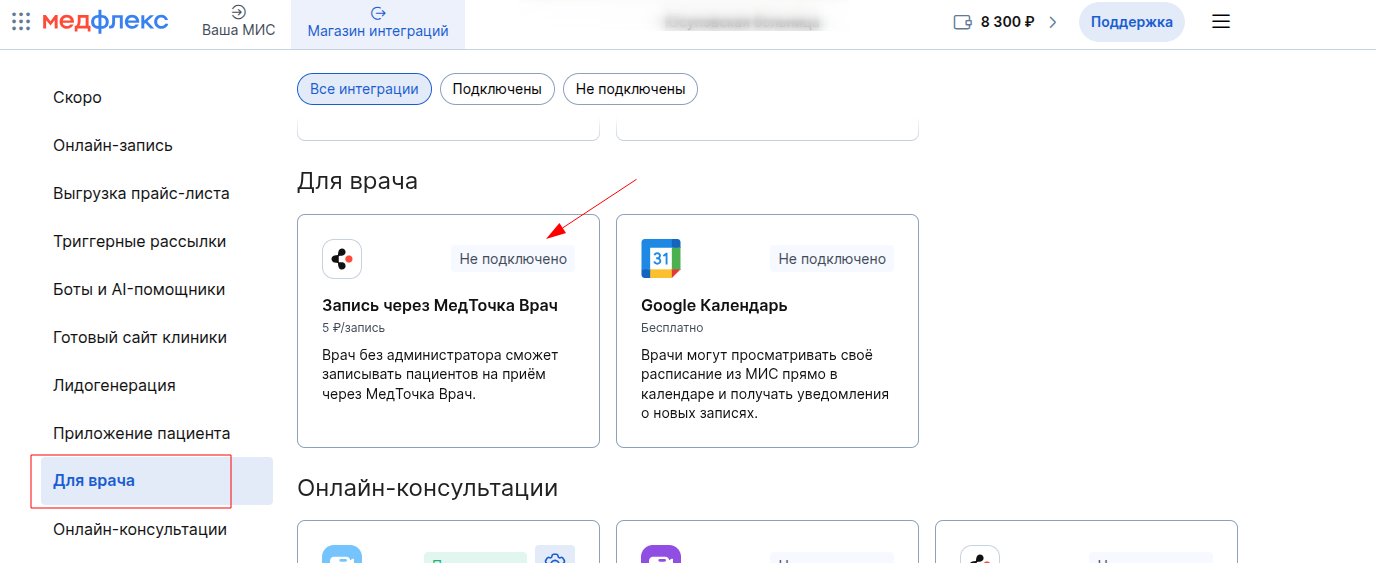
2. «Для врача»Find the integration in the section «Запись через МедТочка Врач»and click on it.
3. On the integration page, click «Подключить».

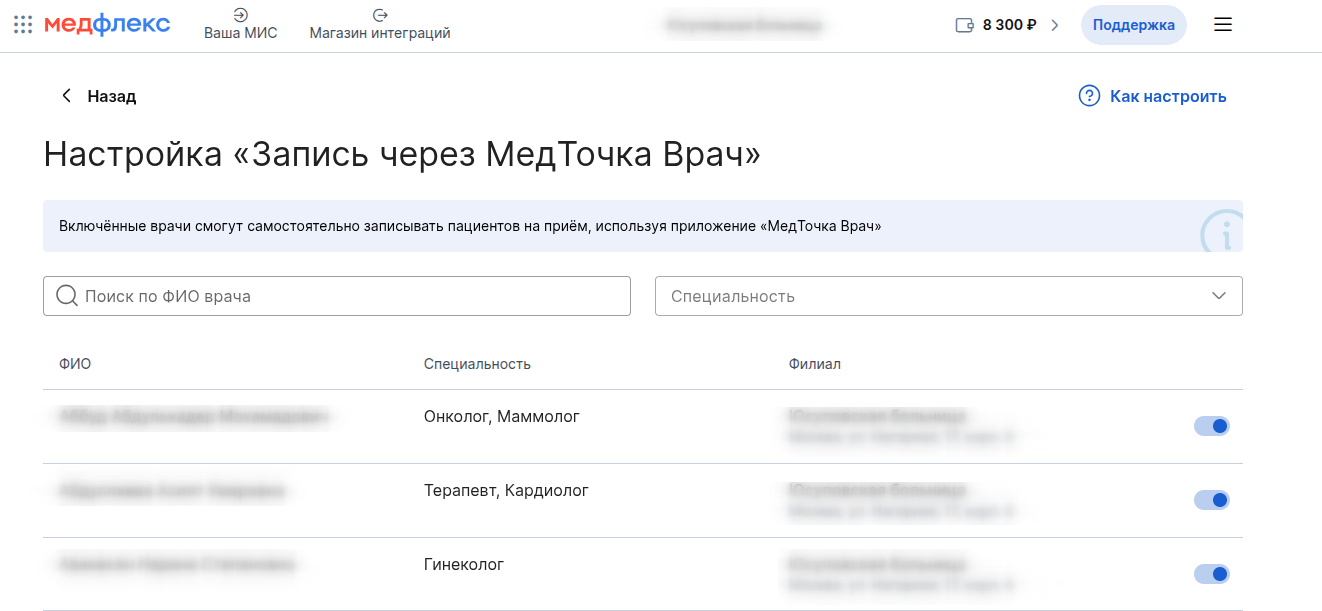
4. Specify the doctors who will be able to record through the Medtochka Doctor app in the integration settings.
If the doctor doesn't have the Medtochka Doctor app, share the download link with him:Google Play, RuStore, App Store.
How can a doctor record a patient?
It is described in detail in the Help article «Запись на приём»of the Medical Center.
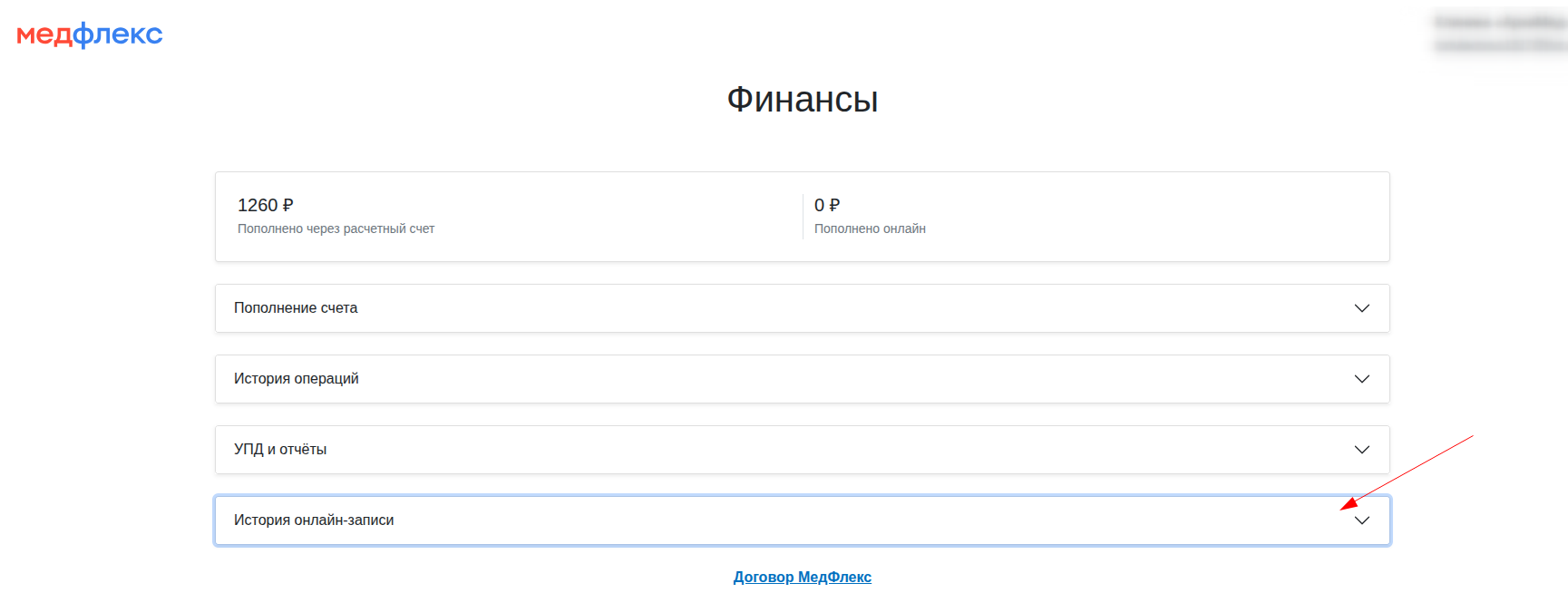
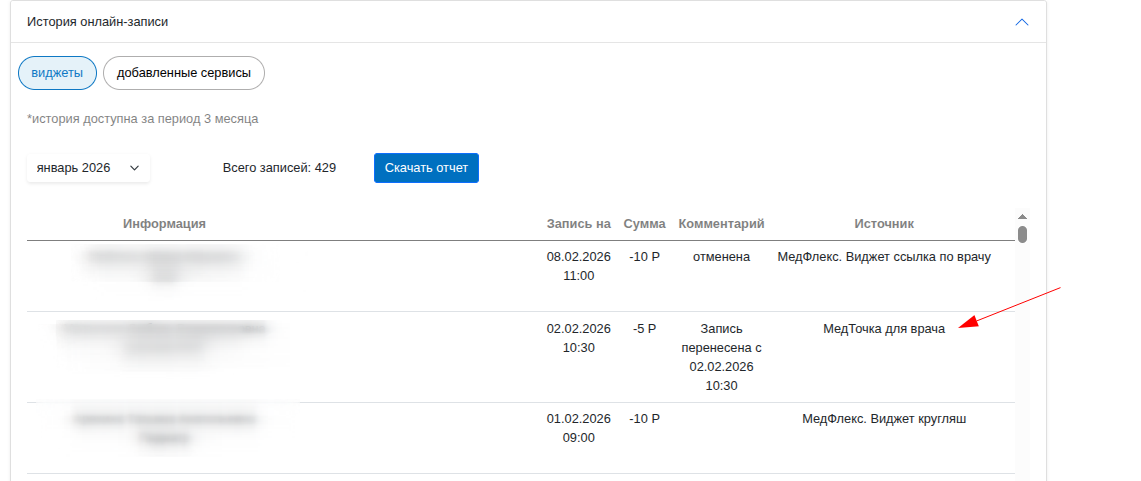
In LC MF, you can track the patients that the doctor has recorded in the history of records in the Medflex wallet.
- To do this, click on the balance button in the upper-right corner.
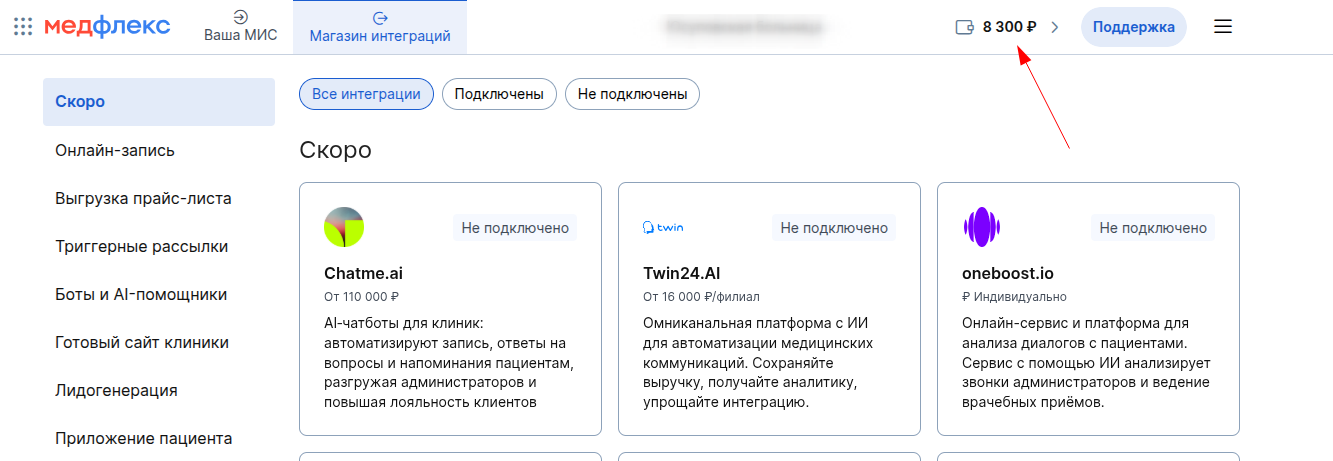
2. Select an item «История онлайн-консультации».
3. The pop-up window displays the sources of the appointment, including «МедТочка для врача».
Possible errors
If the doctor cannot record the patient through the app:
- Integration is disabled in the Medical Complex.
- The doctor was not allowed access to the online record through the application in the Medical Complex.
- There is not enough money on the clinic's balance sheet.