


Setting up an account for services
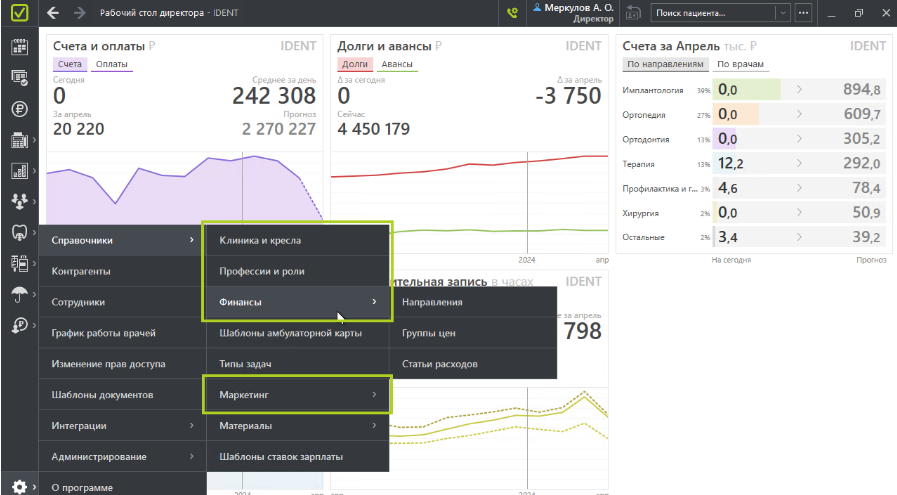
- Create the required specialties.
To do this, go to «Настройки»select «Справочники»and click «Профессии и роли».
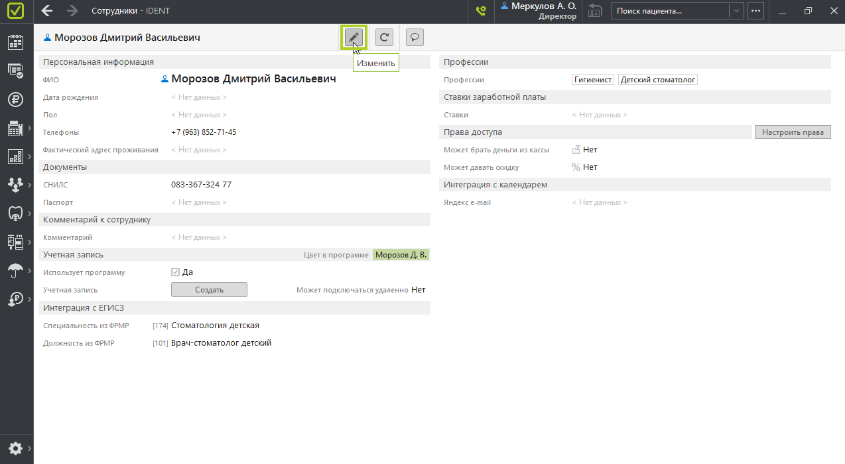
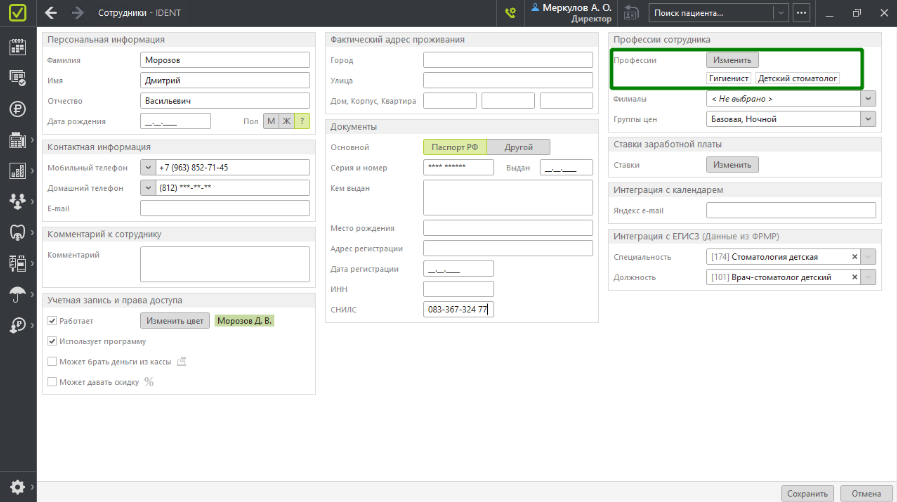
2. Tell the doctors their profession.
To do this, go to «Настройки», select «Справочники»and click «Изменить».
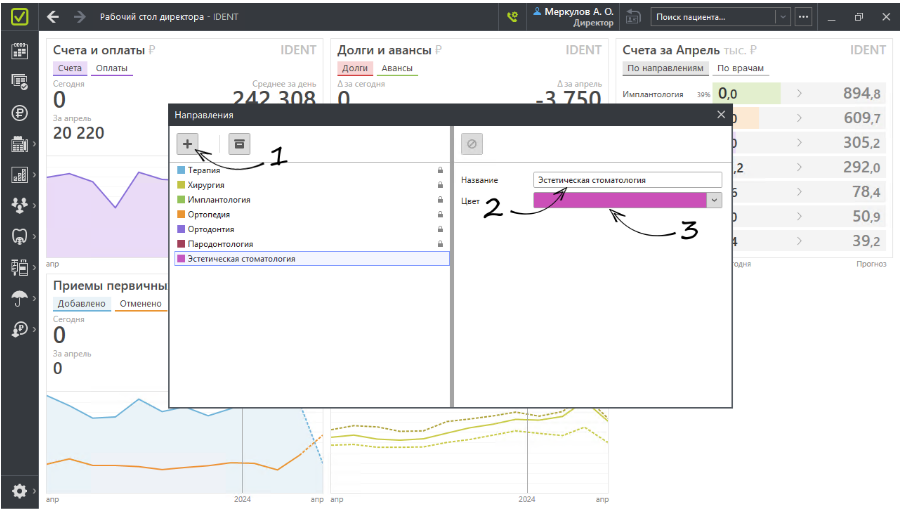
3. Create directions.
To do this, go to «Настройки», select «Финансы»and click «Направления».
Important! It is necessary to create directions that match the name of the professions in the first five characters. For example: «Хирург»– «Хирургия».
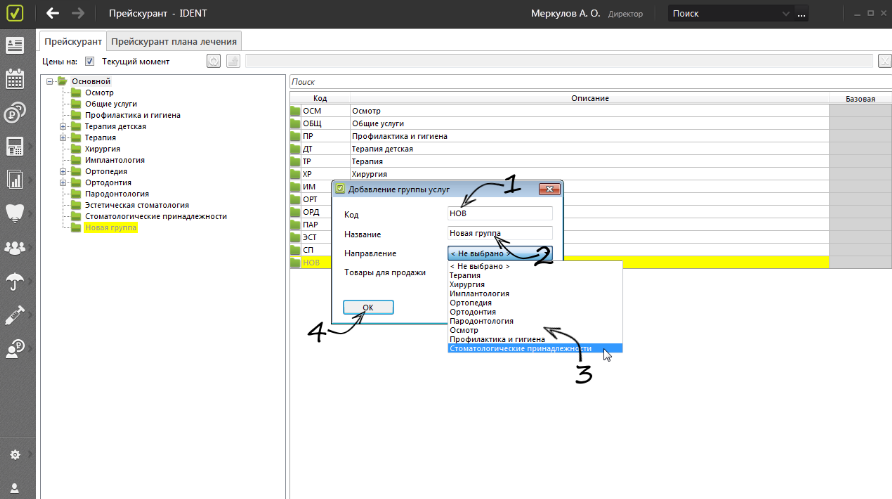
4. Set up service groups: choose a direction that matches your profession.
To do this, go to «Прейскурант»and click «Изменить группу услуг».
By default, the duration of all services is set to 60 minutes.
To change the duration of all services to a different value, contact your personal MedRoket manager.
To change the duration of a particular service, change its name in the MIS. Example:«Удаление зуба 30 мин.».
The price of the service is taken from the price group«Базовая».
It can be changed on the Medrocket side. To do this, contact your personal manager.