


Content:
- How to access the settings page
- Displaying ratings and reviews in widgets
- Setting up a doctor's appointment in the widget
- Setting up an appointment for an online doctor's consultation in the widget
On the page«Настройка для виджетов онлайн‑записи», you can control what information is displayed in the Medflex widgets, and which doctors are available for appointment. They are configured here:
- displaying ratings and reviews of doctors;
- availability of doctors to make an appointment;
- availability of doctors for online consultations.
All changes made on this page apply to all widgets connected in the clinic: the online record widget, the VKontakte widget, the round button, links to doctors, and others.
How to access the settings page 
1. In the integration store, click the gear icon next to the desired widget to open its settings page.
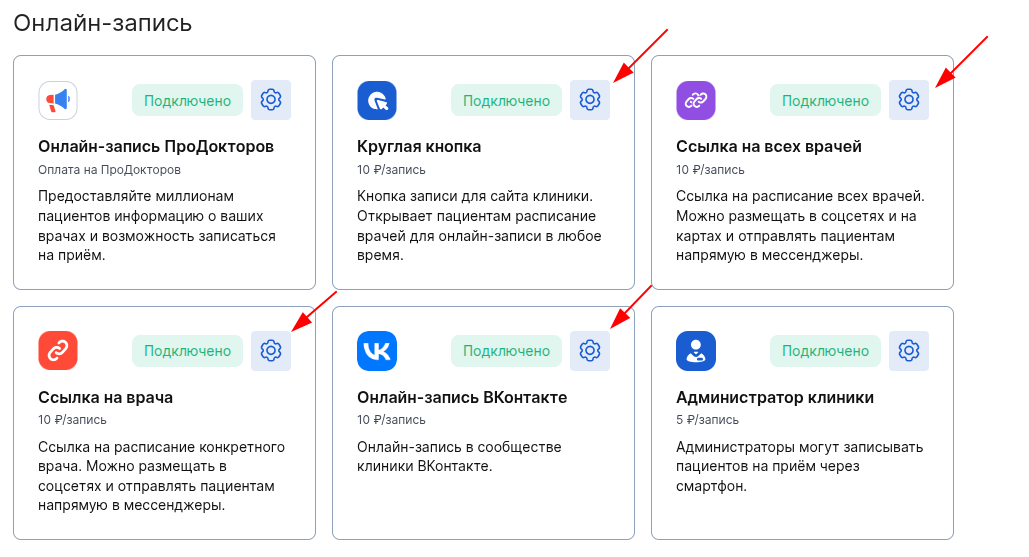
2. On the integration page, click «Настроить».

3. On the page that opens, select «Отображение врачей».
VKontakte Online Account Widget

The widget is a round button

Widget – Link to all doctors

Widget – Link to the doctor

Ready! You have arrived at the page «Настройка для виджетов онлайн‑записи».
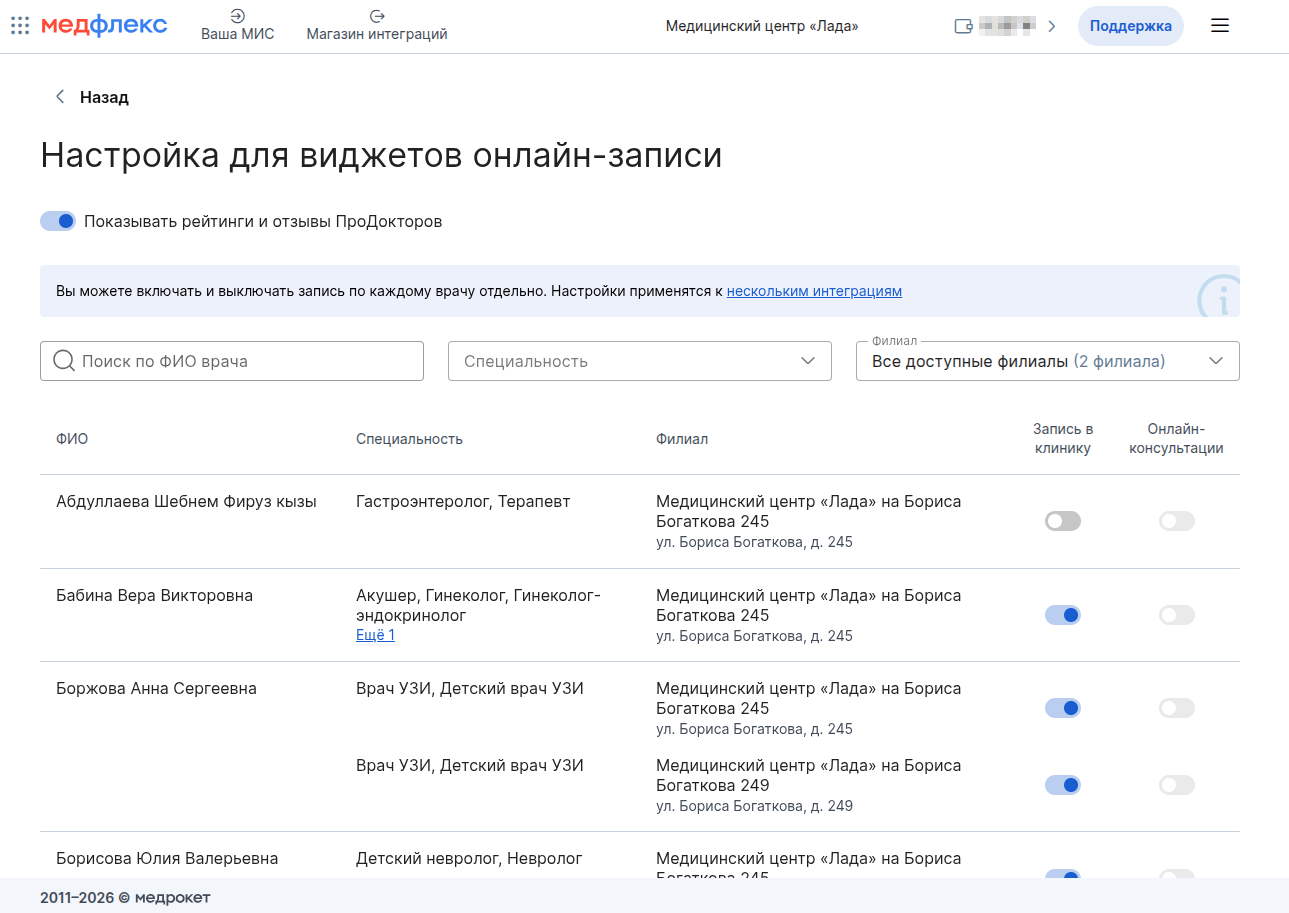
Important! The settings applied on this page are valid for all Medflex widgets at the same time. You do not need to configure each widget separately.
Displaying ratings and reviews in widgets
So that the doctor's card shows the rating and the number of reviews fromProDoctorov:
1. «Настройка для виджетов онлайн‑записи»Activate the switch on the page«Показывать рейтинги и отзывы ПроДокторов».
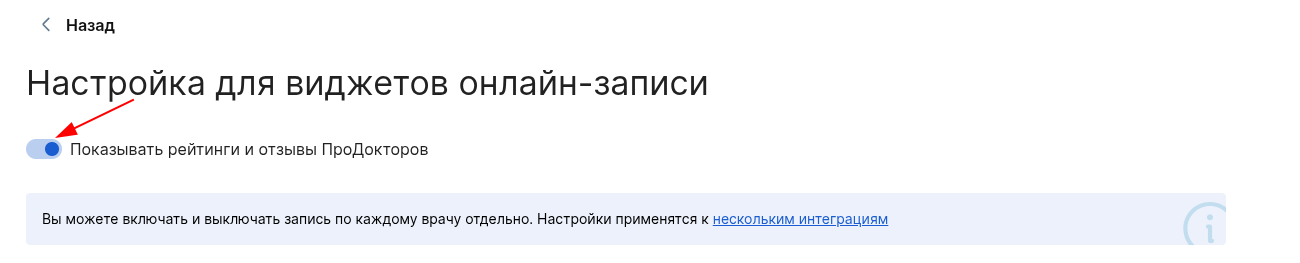
2. After switching on, each doctor's card will have a rating (stars) and a number of reviews in the widgets.

3. Clicking on the number of reviews opens a page with a list of all reviews about the doctor, where he can also leave his own.
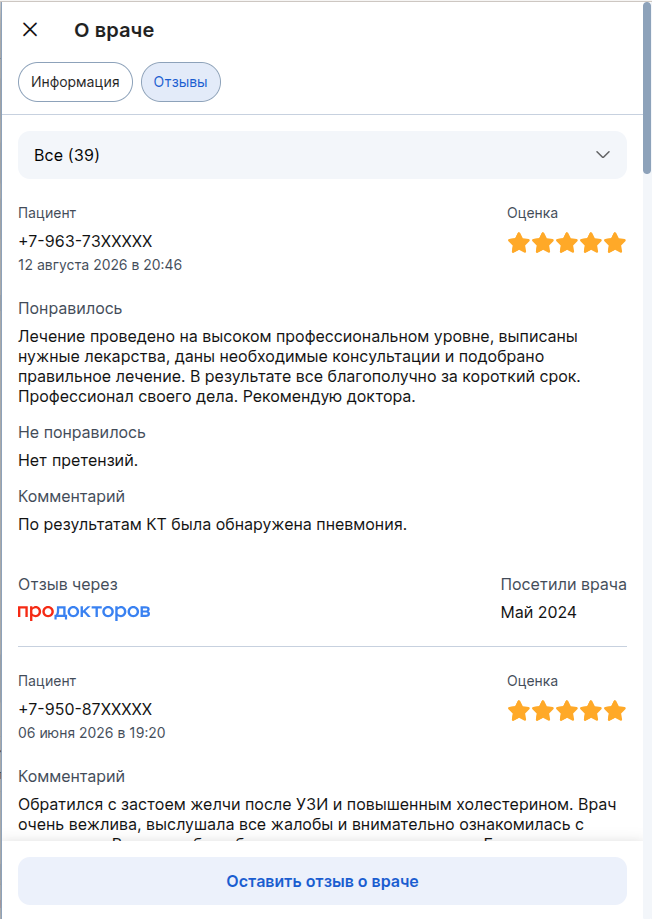
Important! Only verified and published reviews are displayed. Reviews that are undergoing moderation or hidden are not shown in the widget.
Setting up a doctor's appointment in the widget
You can hide the doctor from the widgets or make him unavailable for recording.
On the page «Настройка для виджетов онлайн‑записи»next to the desired doctor, change the status of the switch«Запись в клинику».
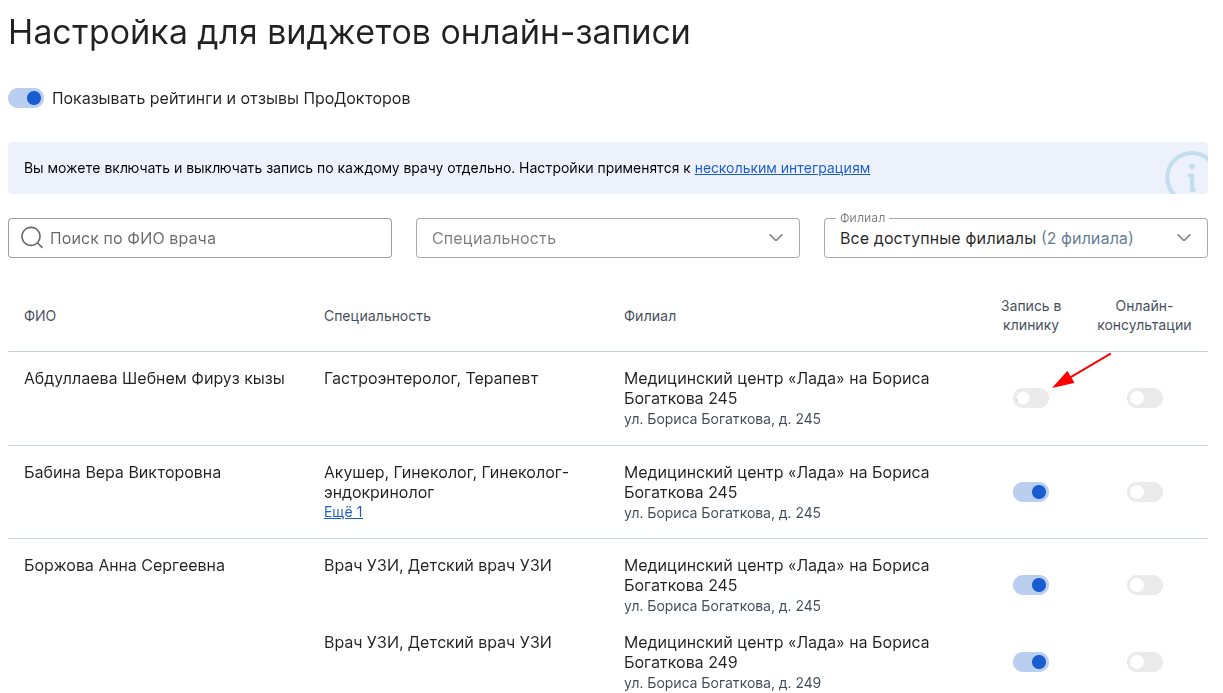
- If the switch is on, the doctor is displayed in the widgets, and patients can make an appointment.
- If the switch is off, the doctor is not displayed in the widgets, and recording is not available.
Important! Setup «Запись в клинику»and «Онлайн‑консультации»independent. You can enable the appointment, but disable the online consultation, and vice versa.
Setting up an appointment for an online doctor's consultation in the widget
For doctors who already have an online appointment set upProDoctorov, you can enable or disable the option to make an appointment for an online consultation in the Medflex widgets.
- On the same page«Настройка для виджетов онлайн‑записи», find the right doctor.
- Change the status of the switch«Онлайн‑консультации».
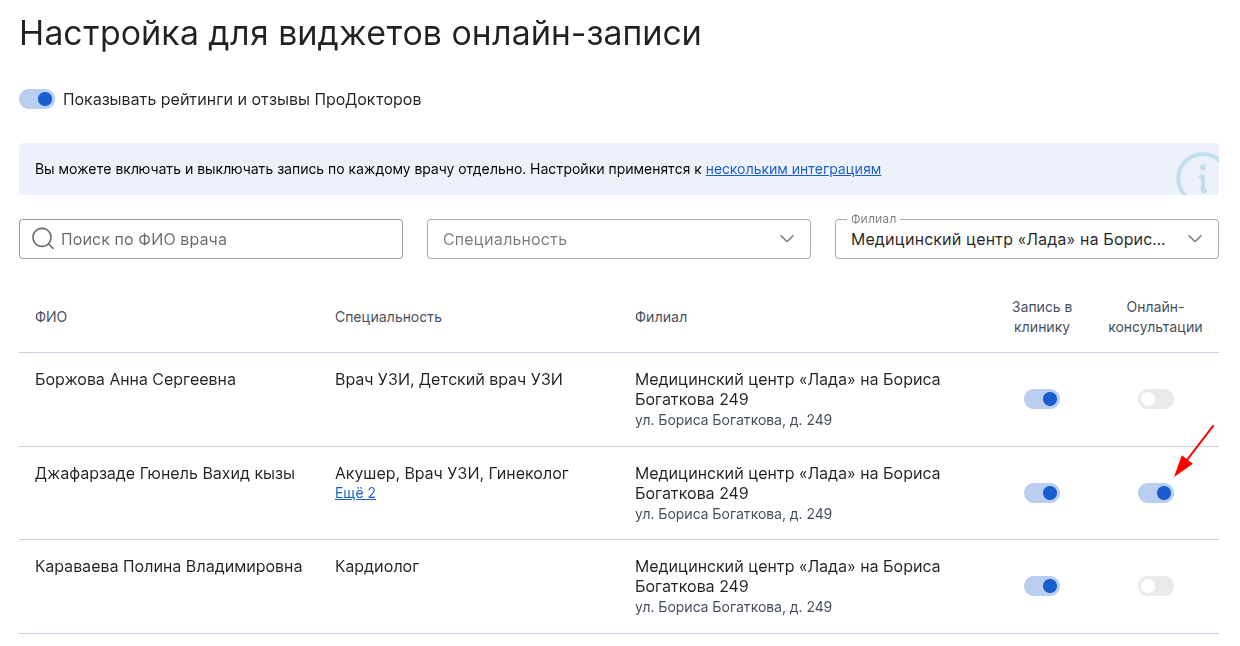
The inclusion of an appointment for an online consultation is only available if all the conditions are met.:
- The doctor has an online appointment enabledProDoctorov;
- The price of an online consultation is set for a doctorProDoctorov;
- ProDoctorovthere are at least 160 rubles on the license balance.
Read more about how to enable online consultations in a separate article«Как включить запись на онлайн‑консультации».