


List of branches 
Yandex Business Directory Clinic Structural units
it should not be marked for deletion.
Comparison of doctors and services
Yandex Business Directory employee Staff
It should not be marked for deletion, it should not be dismissed, and the employee should have a set work schedule.
Employees are unloaded from the information register Scheduled work hours for employees
.
Way: Staff
→ Work schedules
or Staff
→ Staff
→ Work schedules
.
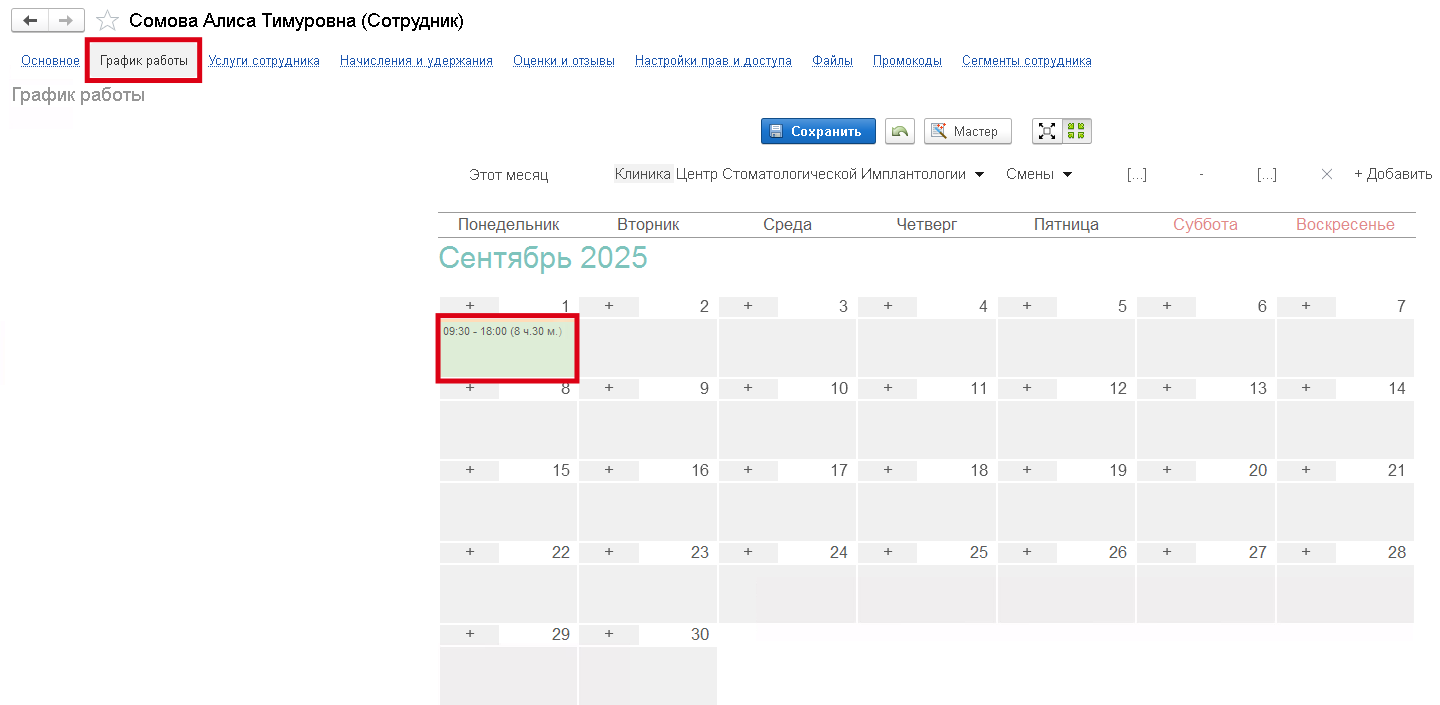
In the business directory card Staff
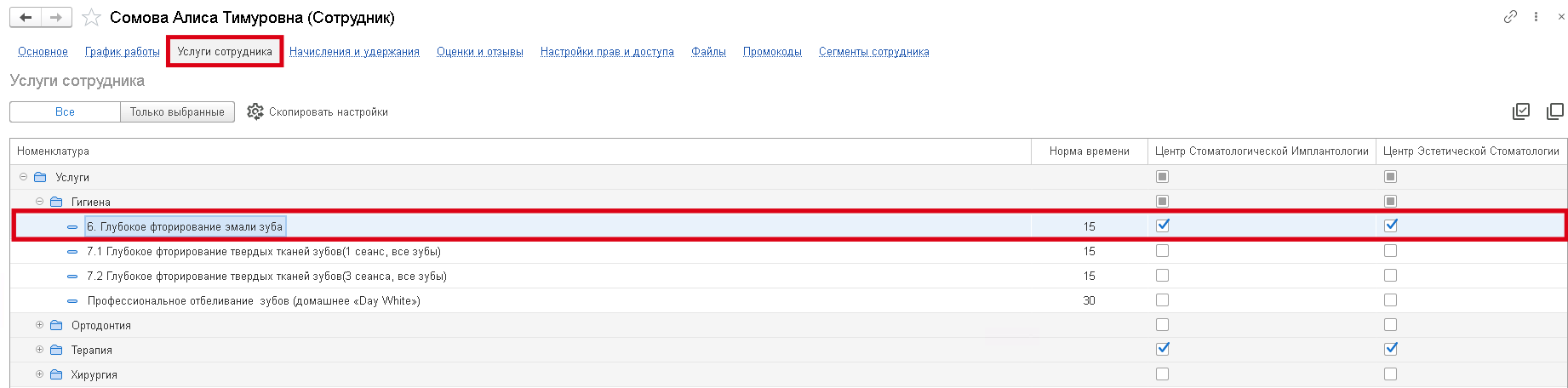
in the section Employee services
the necessary directory service must be provided Nomenclature
by the required branch.
The service should not be marked for deletion. The flag must be set This is a service
.
Way: Stocks
→ Nomenclature
.
If the duration of the service is from the section Employee services
more than in the directory card Nomenclature
, then it will be unloaded from the section maximum time
, otherwise from the directory card Nomenclature maximum time
.
Doctors' schedule
The employee's free time is uploaded from the information register Employee free intervals
.
In the information register Scheduled work hours for employees
there must be an employee's schedule that falls within the time period being uploaded.
If the schedule time is fully occupied by appointments, the employee will not be included in the upload.
For the prices of services, it is necessary:
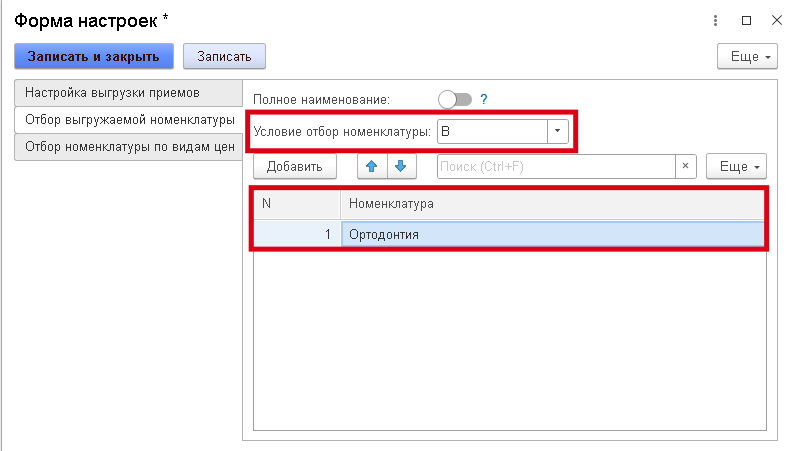
If in Exchange settings with Medflex
if the item is specified in the selection table for the uploaded item, then the selection condition must also be specified (In
, NOT IN
, PAWNO
), so that this condition takes effect.
In
— the values contained in the group will be selected (used in the context of groups).
NOT IN
— values other than those contained in the group will be selected (used in the context of groups).
equally
— only the element will be selected (used in the context of the elements).
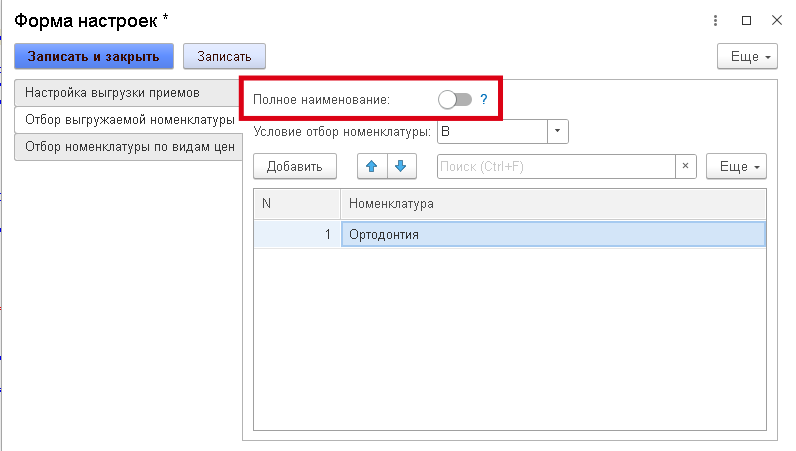
By default, the name of the item uploaded to ProDoctorovis taken from Name
. When enabling the feature Full name
, the name will be taken from Full Name
.
To upload prices, you need to select by type of prices.
By default in Exchange settings with Medflex
the retail type of prices is uploaded.
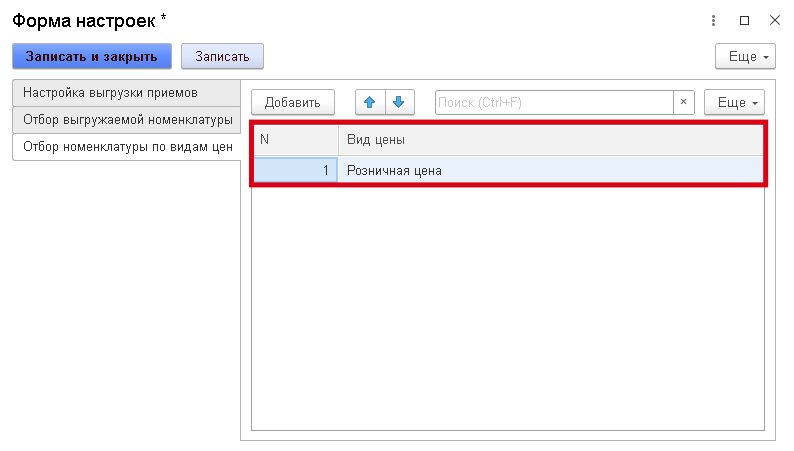
Prices are downloaded from the information register Item prices
. Price editing is possible through processing Pricing
.
Way: Finance
→ Pricing
.
To upload prices, the price, clinic, and type of price must be filled in. Prices are uploaded using a cross-section of the latest ones, meaning only the newest entry in the register is taken into account.
The service must not be marked for deletion, it must not be a group, and the flag must be set. This is a service
.