


Setting up an account for services
- To set up the doctor's schedule and time types, go to
a tab «Расписание».

2. Select «Настройка»and press «Настройка расписания».
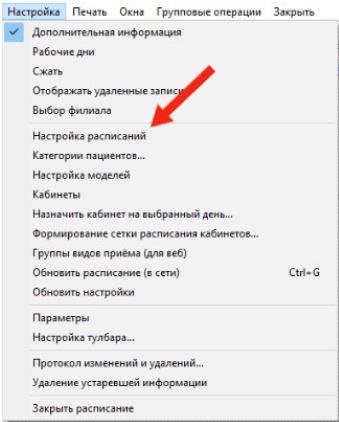
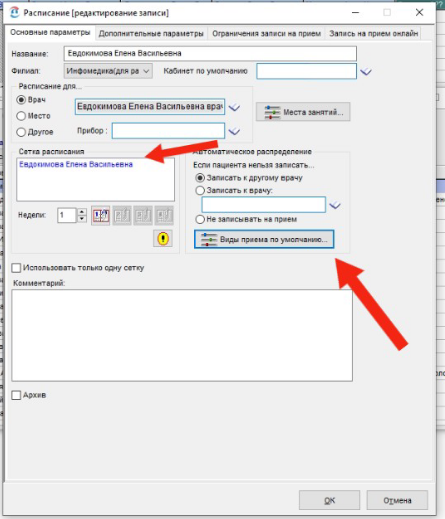
3. Select a doctor who provides services available for appointment.
Important! The doctor's schedule grids should not overlap.
4. Click «Виды приема»default to configure the reception modes.
5. Check the relevance of the services provided by the doctor and the correctness of the duration of the appointment.
If you need to correct the duration and select or delete the reception types, go to the section«Настройки».
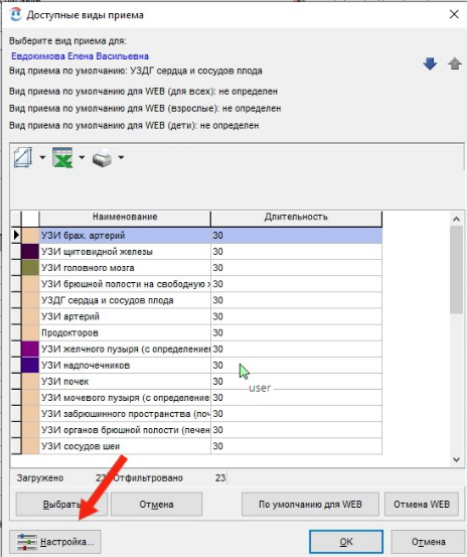
6. Select the time type by double-clicking.
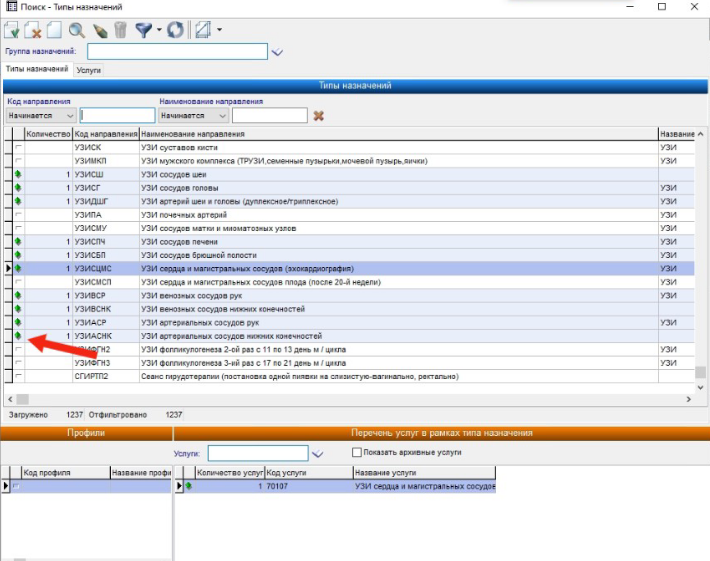
Check the relevance of services that are linked to time types.
7. Go to the section «Услуги»and click «Филиалы и прейскуранты услуг».
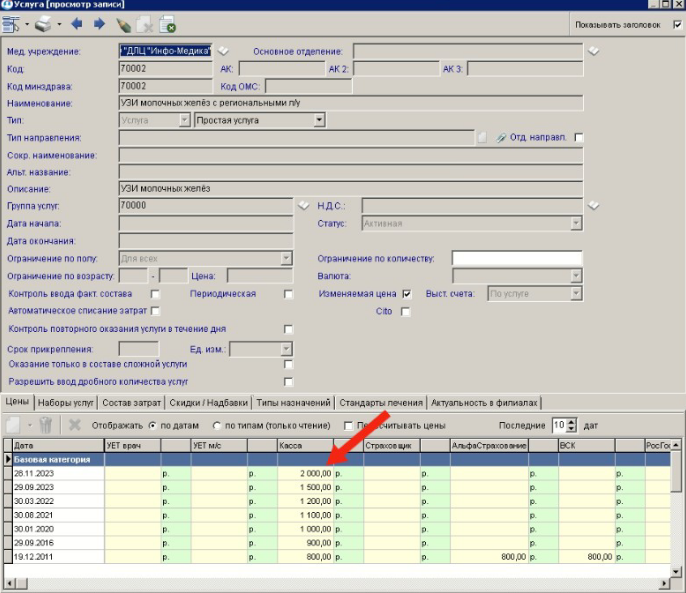
When unloading services, the last billed cost of the service is taken.