


Content:
- How to install the widget
- Configuring the widget
- Configuring the display of services
- The cost of the widget
- Errors when enabling integration
After installing and configuring the widget, the website will display prices for clinic services and doctor appointments.
How to install the widget 
- Log in to the section «Магазин интеграций»in your Medflex personal account.
- Choose«Виджет прайс-листа на сайте».
- On the page that opens, click «Подключить»at the top right.

4. After connecting, a button «Подключить»will appear instead of a button«Настроить», click on it.

5. Click on the button «Скопировать код виджета»and install the received code on your website.
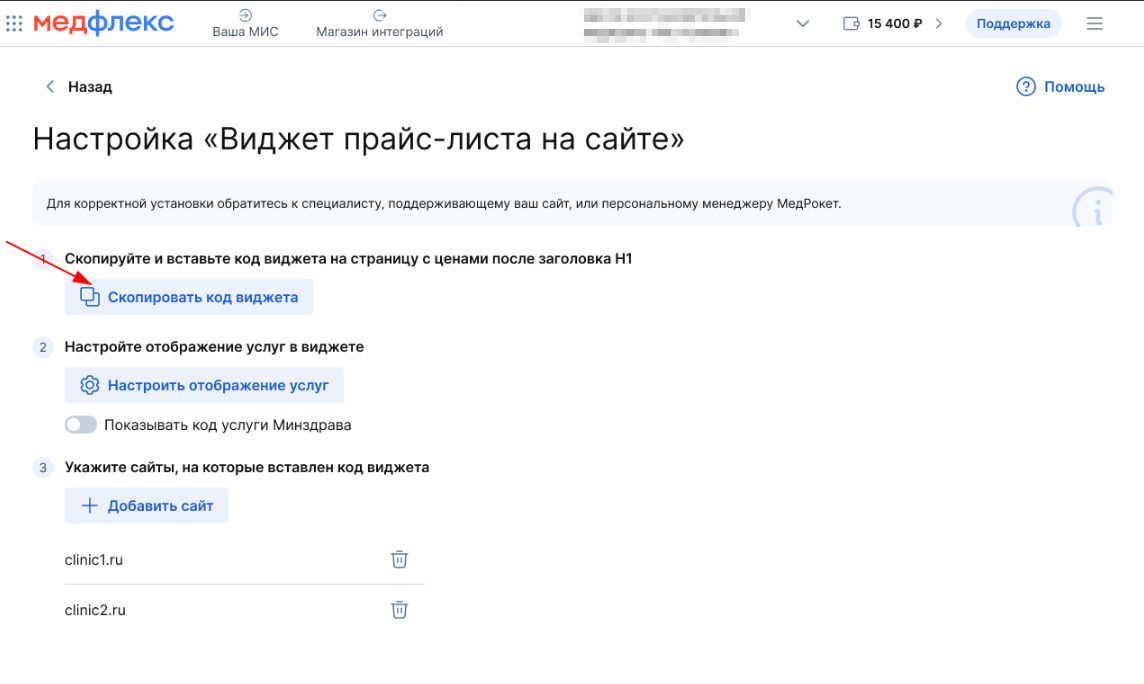
To install the code correctly, contact the specialist who maintains your website or your personal MedRoket manager.
Configuring the widget
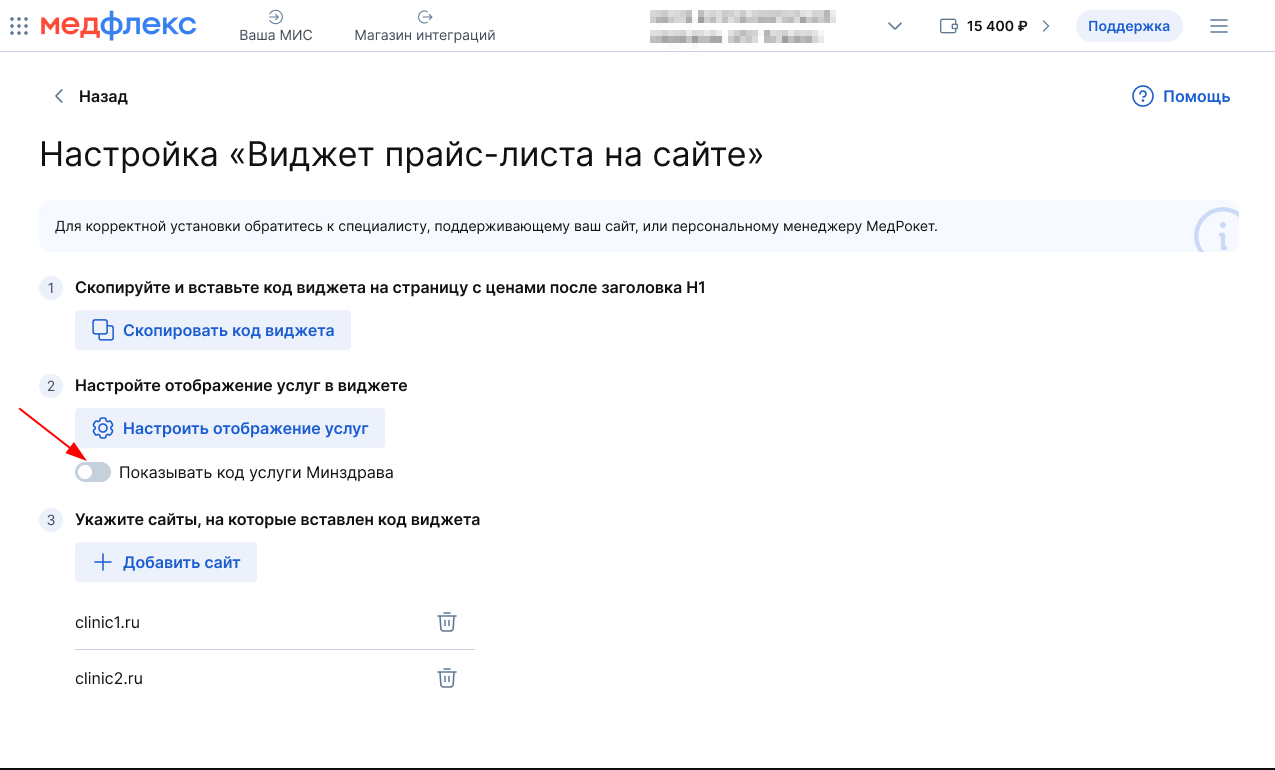
- To display the service code in the price list, activate the switch «Показывать код услуги Минздрава»on the settings page.
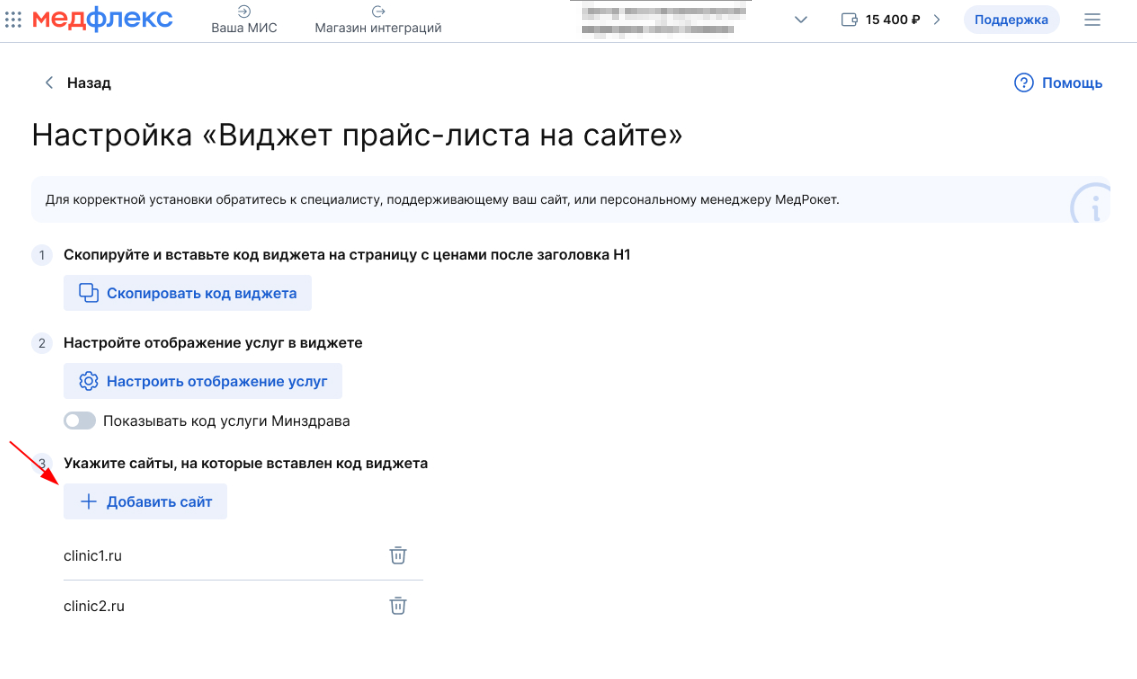
2. To add the site to the integration, click the button«Добавить сайт».
3. Enter the website domain in the window that opens and click Add.
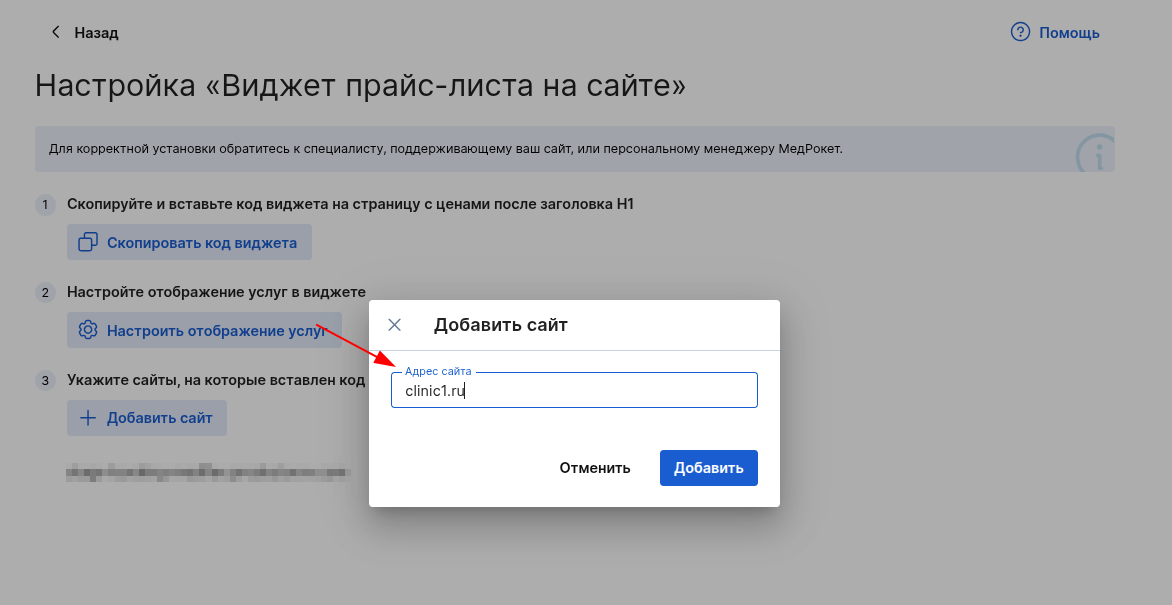
Important! Only the site domain should be inserted, that is, the part of the link between the first double slash and the next single slash. The widget will not work on this site without specifying the site.
It is necessary to specify sites to protect the widget from unauthorized installation and spam attacks.
Configuring the display of services
To enable or disable services in the price list widget on the website, make the settings on the Configure Services from MIS page.
The cost of the widget
The widget costs 5 rubles per day for one site, but only if the widget has had views.
If there hasn't been a single price widget view on the site all day, you don't pay anything.
Errors when enabling integration
If you have not specified at least one site in the integration settings, then the status will be displayed. Not configured
.

When you click on the error, a window will appear with its full description.
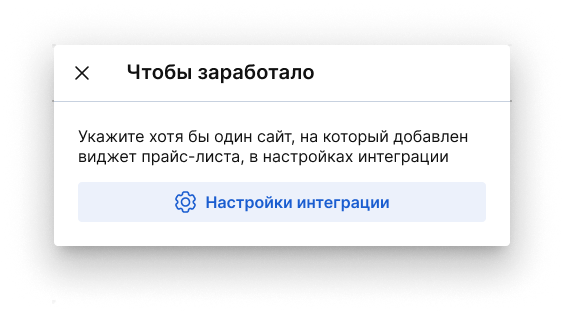
In order for the error to disappear and the integration to work, specify at least one site in the integration settings.