Content:
- How video recording of online consultations works
- How to download a video of an online consultation in your personal account at Medflex
- How to view the download history of online consultation videos
How video recording of online consultations works 
The patient, the doctor and the clinic representative can view the video recordings of their consultations. We have described in detail how to do this for a doctor and a patient in the Knowledge Base.:
How to download a video of an online consultation in your personal account at Medflex
To do this, go to the list of past online consultations.:
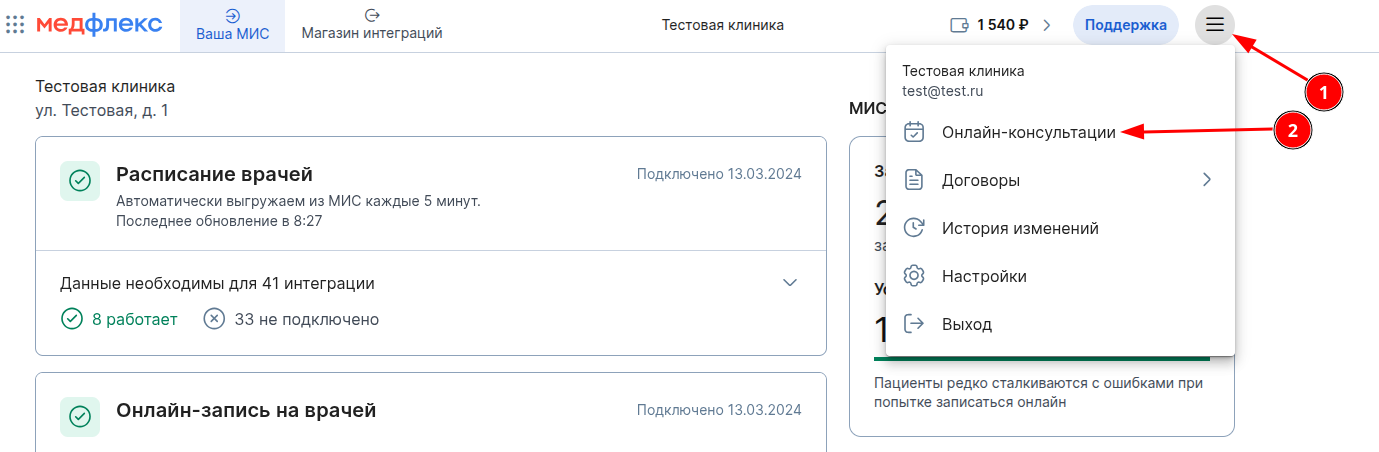
- Open the menu of your personal account and select "Online consultations".
2. Open the past online consultations. You can download the video by clicking on the corresponding button.
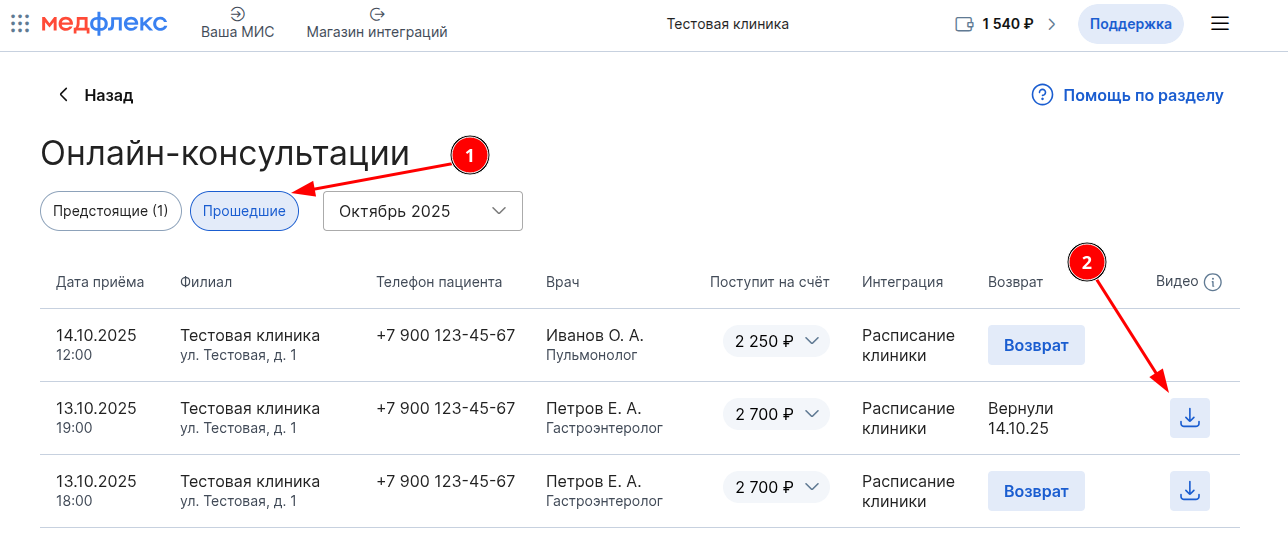
The video download button will appear within 5 minutes after the consultation is completed.
How to view the download history of online consultation videos
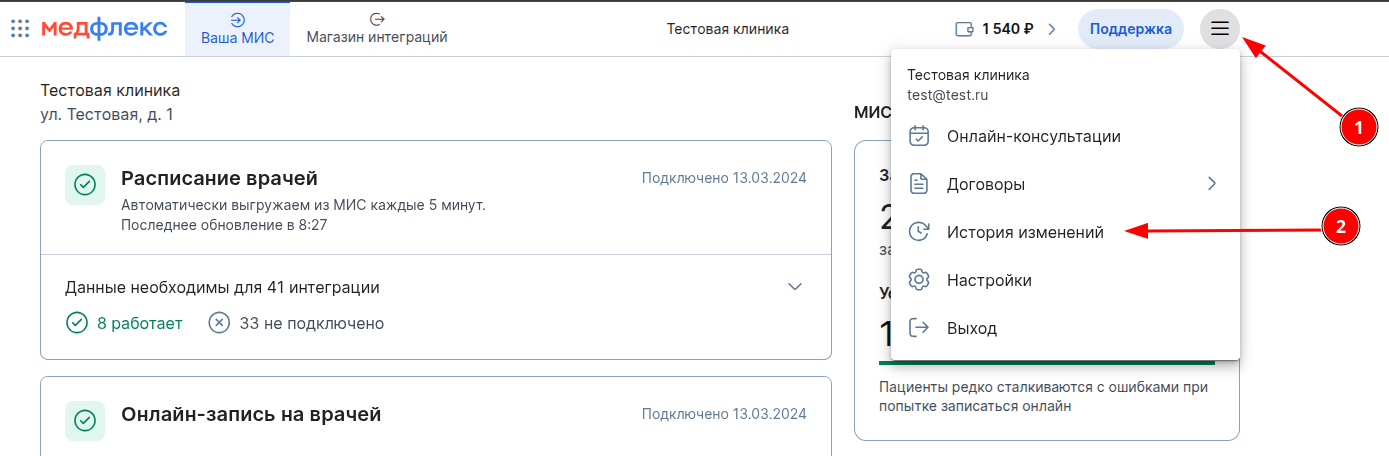
- Open the menu of your personal account and select "Change history".
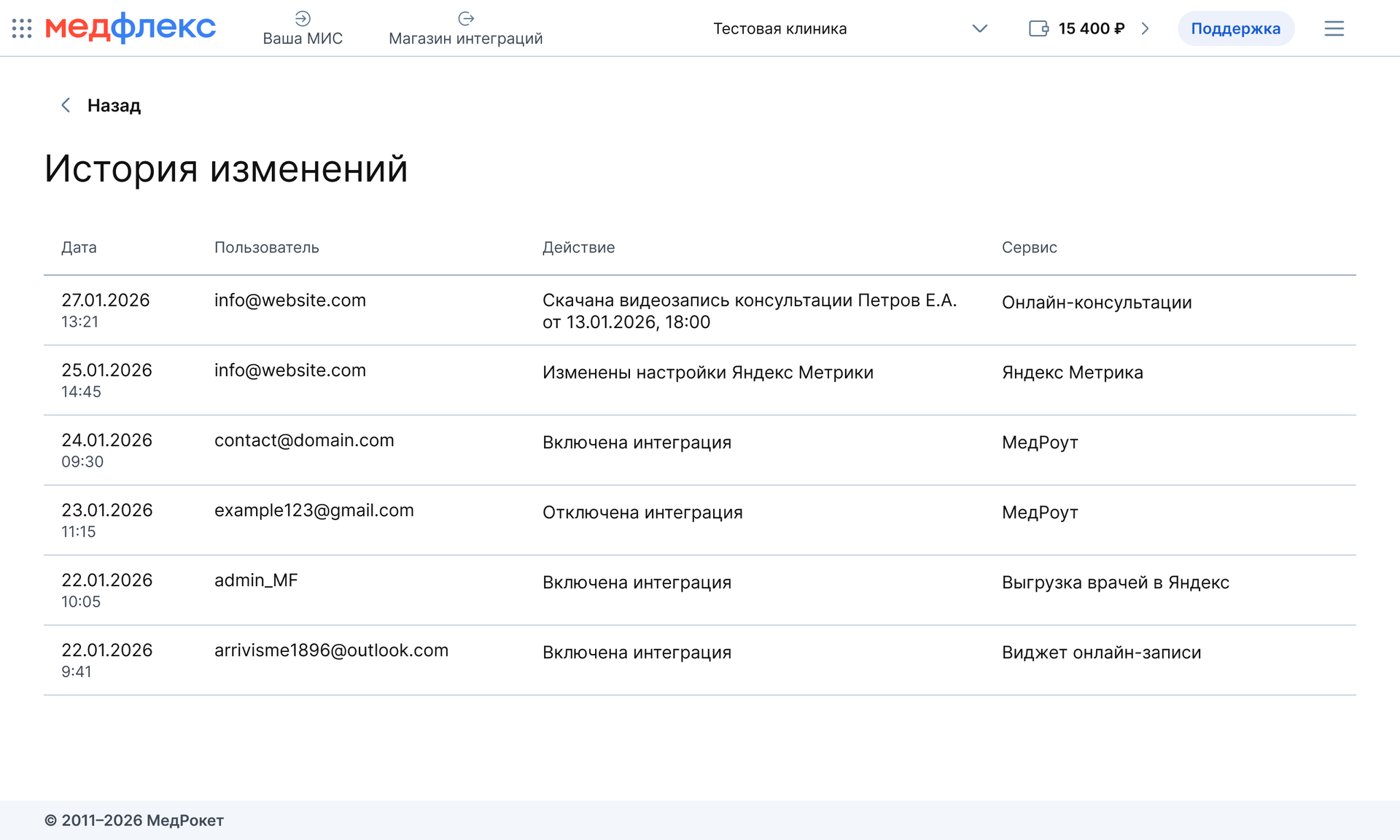
2. Each click on the "Download" button will be displayed in the list of actions.