


Setting up an account for services 
Before proceeding to the service settings, contact MIS support to check the current version of your program. If necessary, the IIA will update the program for you.
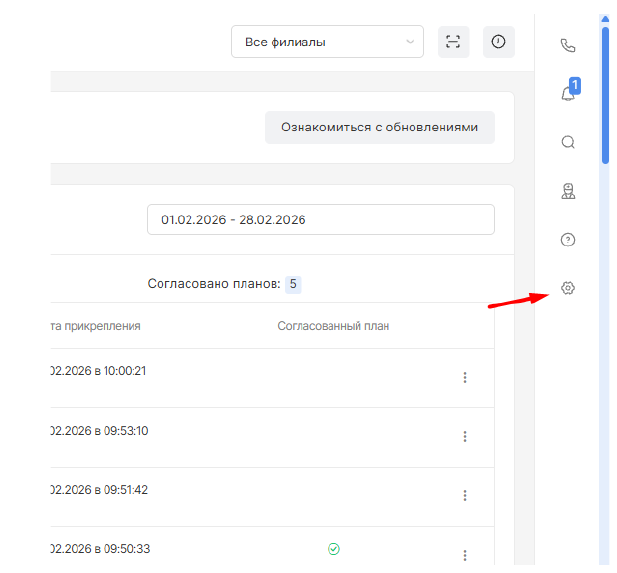
- Go to the module «Настройки»(the gear icon on the right panel).
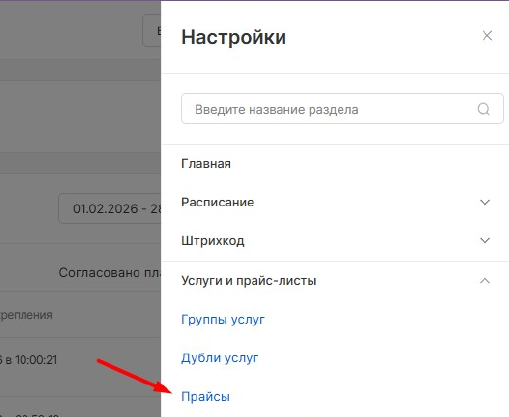
2. Select a section «Услуги и прайс-листы»and click on the item«Прайсы».
3. Click on the name of the price list that contains the desired service.
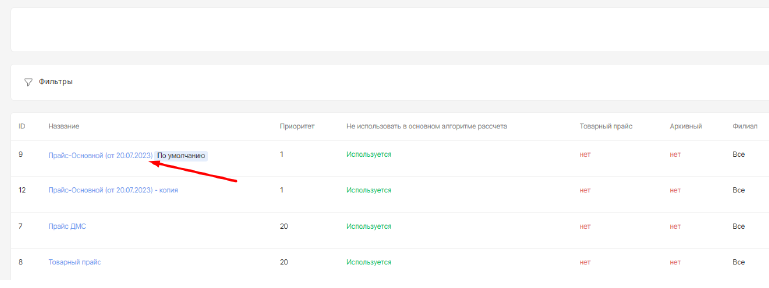
In the list of services that opens, find the desired position.
4. Click on the button «Редактировать»(pencil icon) to the right of the service name.
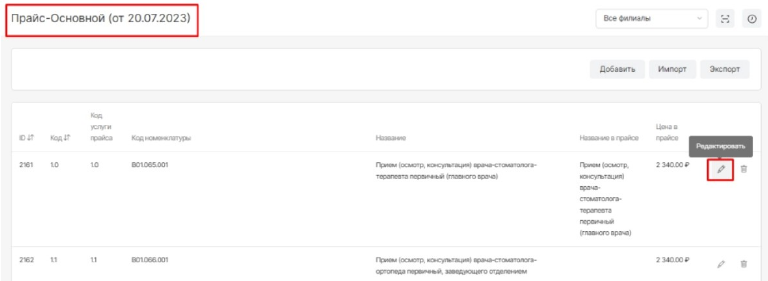
In the window that opens«Редактирование услуги», find the field«Отделения».
In the drop-down list, select new branches or delete old ones by clicking on «крестик»next to the branch name.
Note: The service can be linked to several branches at the same time.
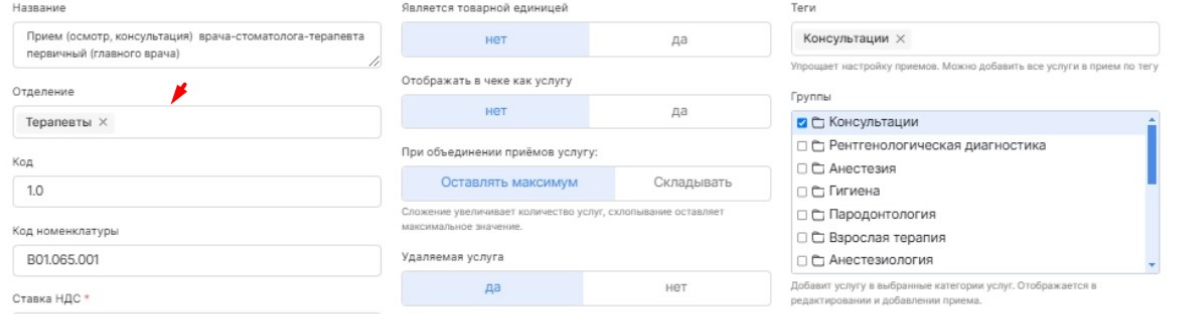
5. Click the button «Сохранить»at the bottom of the window.
Important: To perform these actions, your user group must have the privilege enabled«Редактирование прайс-листа». Changes to the service will affect all price lists where this service is available.