Content:
- How to install the widget
- Set up a VKontakte community
- What will the widget look like for the patient?
- How to change the community link or the list of branches
- Widget Settings
- UTM tags
- Combining widgets for multiple legal entities
- Errors when enabling integration
The VKontakte online appointment widget allows patients to make appointments with your clinic's doctors directly from the VKontakte community. The widget is displayed on the community page, and the patient does not need to go to an external site.
Important! The widget can only be installed on the community page, but not on the personal page.
How to install the widget 
To install, follow these steps.
1. Log in to your Medflex personal account and go to the section«Магазин интеграций».
2. Find the widget «Виджет онлайн‑записи ВКонтакте»and tap «Подключить».
3. After connecting, press the button«Настроить».
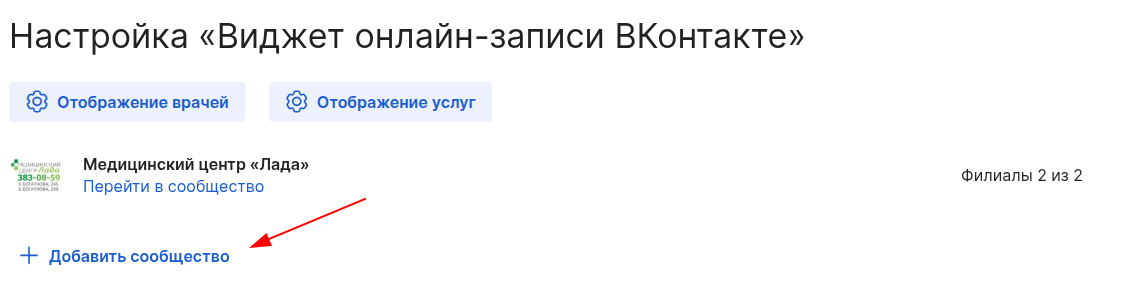
4, Click «Добавить сообщество»on the integration settings page.
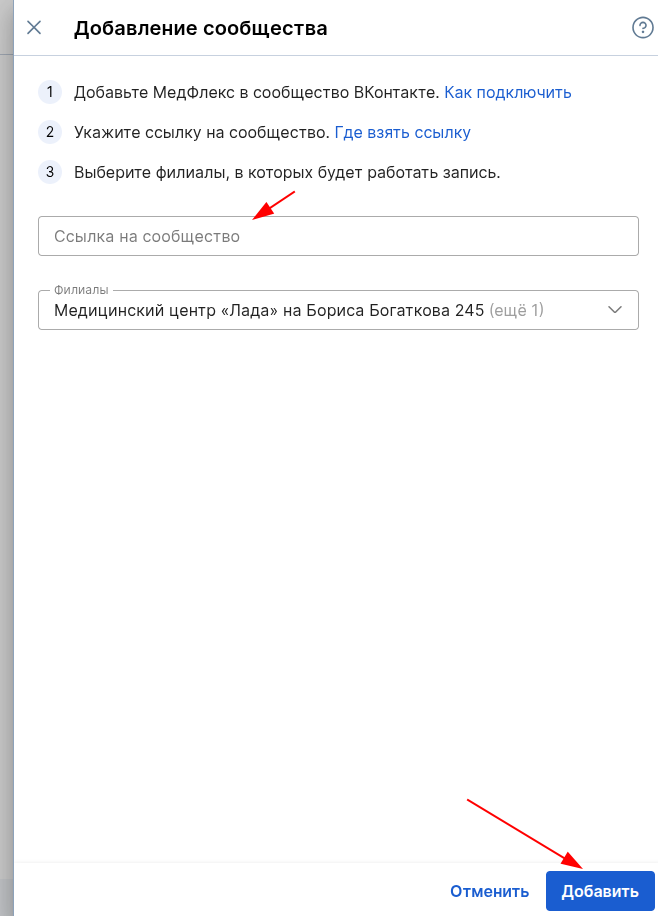
5. Insert a link to your VKontakte community and select the branches that will be available for recording via the widget.
If a new branch is added to the clinic, it will be enabled by default.
6, Click«Сохранить»
Set up a VKontakte community
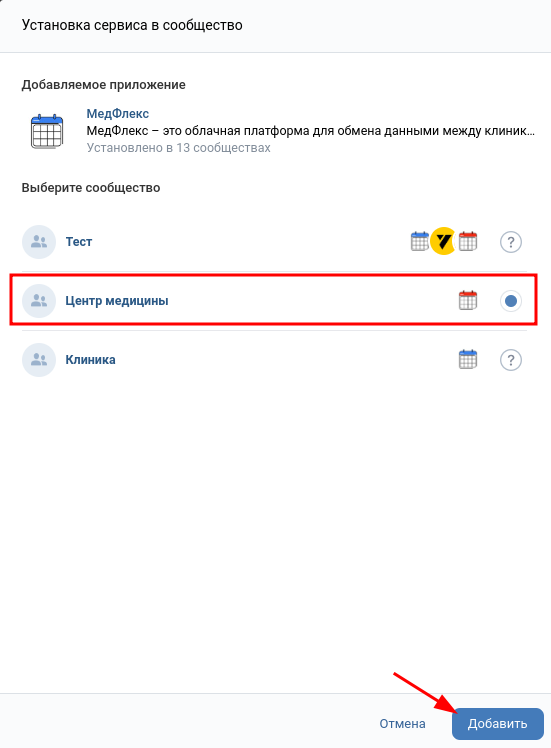
1. Add Medflex to the VKontakte community by clicking on the link.
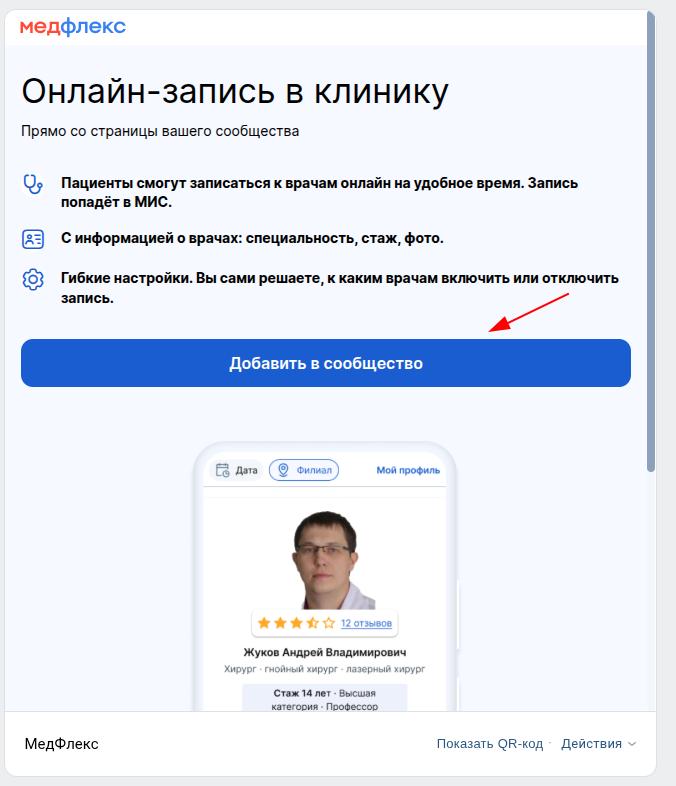
2. In the window that opens, click «Добавить в сообщество».
Important! To add a widget to the community, you must be its administrator.
3. Select which of the available communities the widget should be displayed in and click «Добавить».
What will the widget look like for the patient?
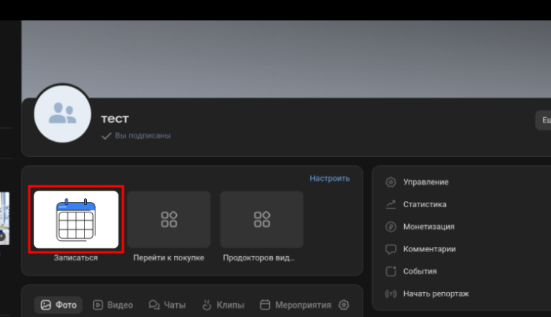
The patient will have to click on a button «Записаться»on your community page.
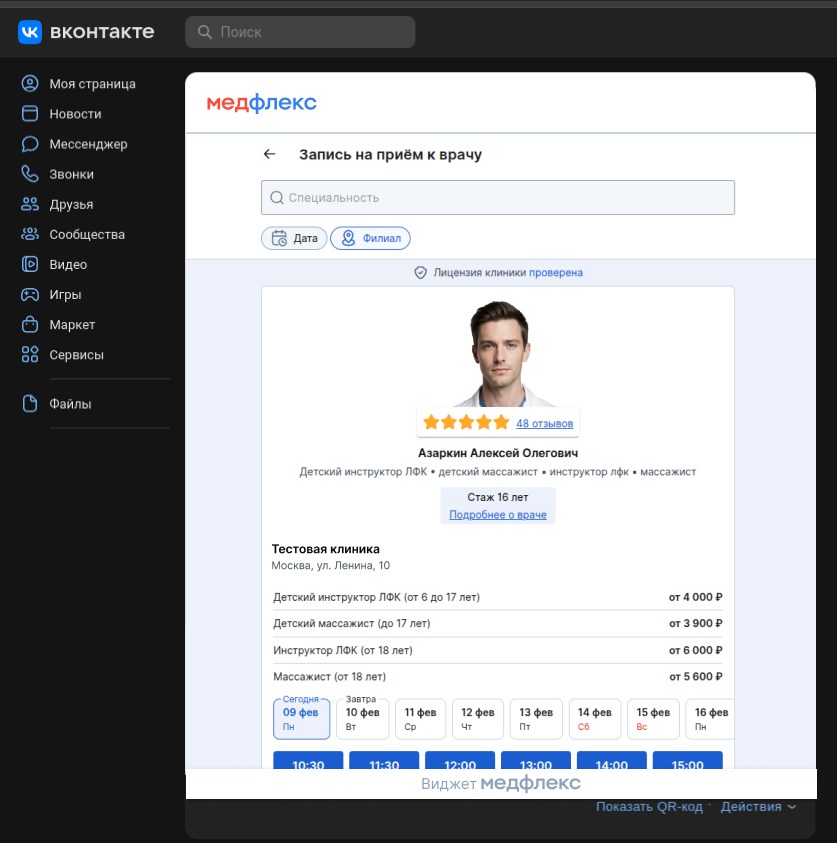
In the window that opens, select the doctor and the time to make an appointment.
How to change the community link or the list of branches
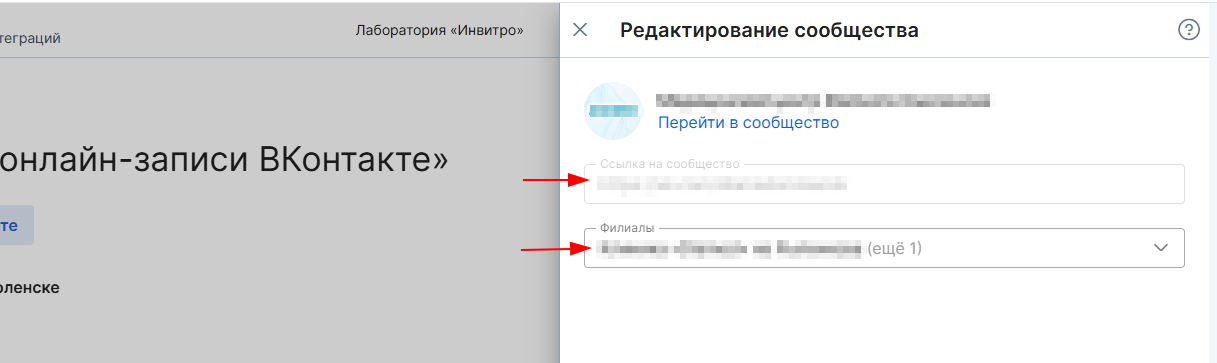
To change the link to the community or the list of branches that will be displayed in it, click the icon edit
opposite the desired community.
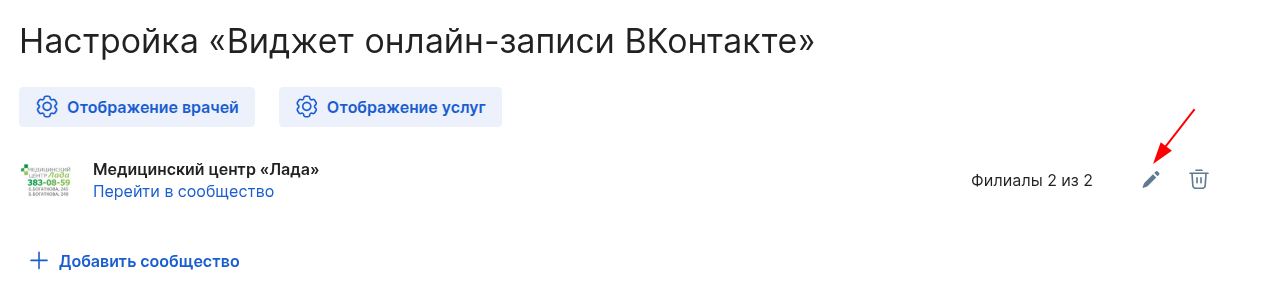
In the window that opens, replace the link or change the list of branches.
Widget Settings
Displaying ratings and reviews
To display the doctor's rating and reviews in the widgets, make the settings on the page«Настройка для виджетов онлайн‑записи».
Enabling and disabling appointment appointments
All visibility and accessibility settings are performed on the page«Настройка для виджетов онлайн‑записи».
Configuring services
To set up services in the widget, click on the button «Отображение услуг»or go to the page«Настройка услуг из МИС».
UTM tags
To use UTM tags, you must:
- Copy the link to the widget for the clinic's page.
- Add a UTM tag to the link text.
You will get a link in the following format:
https://booking.medflex.ru/?user=2hpe3mc6wwfv6cextep9guogbbb5347i&source=3&utm_source=primer&utm_campaign=primer
During recording, UTM tags and ClientID for Yandex.Metrica are saved via the Medflex widget.
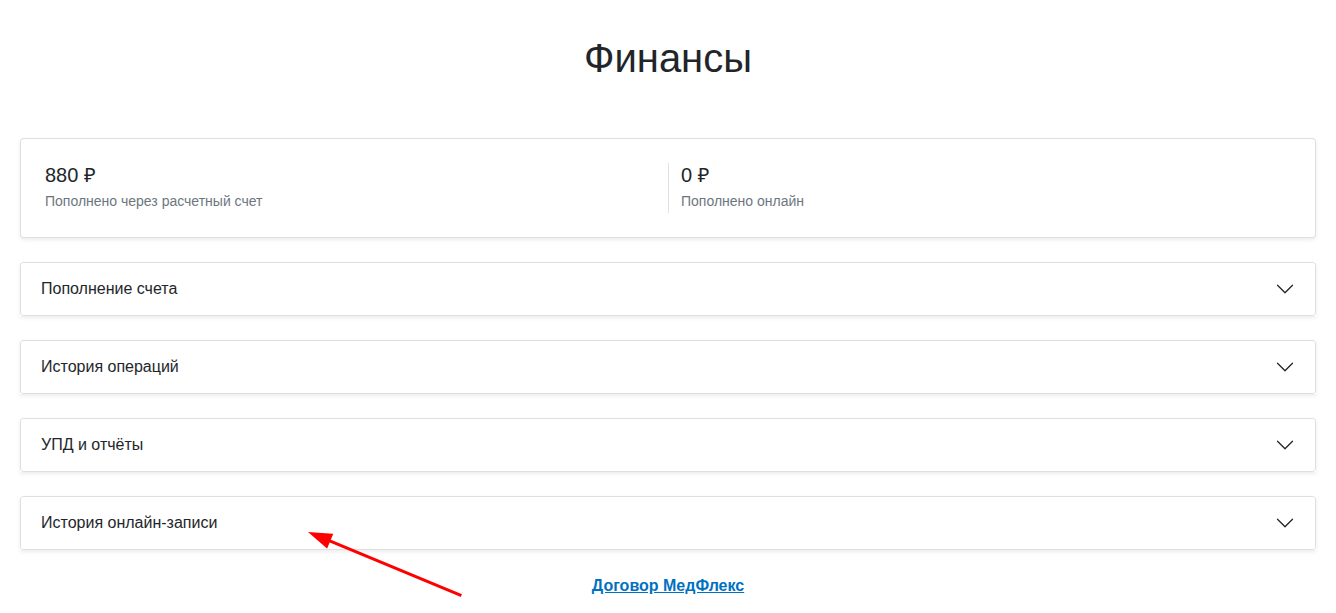
To view the data about them, download the report in XLSX on the page «Финансы»in the section«Истории онлайн-записи».

Combining widgets for multiple legal entities
You can make a widget entry available in medical institutions with different legal entities, that is, different personal accounts in the Medical Complex.
Important! You can only combine more than 3 legal entities (offices).
To do this, contact your personal MedRoket manager.
Information that the manager will need:
- A list of links to widgets that need to be combined.
- Parameters of the combined widget: button color, alignment, and margins.
- The order of medical institutions in the widget and their filtering parameters.
As a result of the merge, a new link will be generated, which will need to be inserted into the site.
Features of the combined widget:
- The money is debited from the balance of the client in whose medical institution the record was made.
Errors when enabling integration
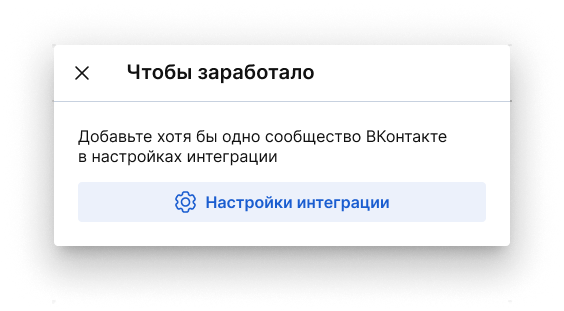
If you have not specified the community in the integration settings, it will not work.
The integration card will display the status Not configured
.
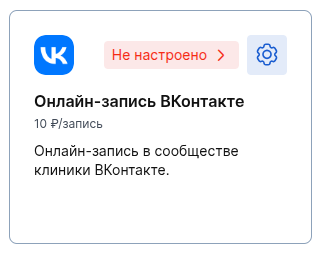
To make the integration work, specify at least one VKontakte community.
To do this, click on the status and go to the integration settings.