Setting up an account for services 
Step 1. Adding specializations to doctors and limiting the unloading of services by doctor
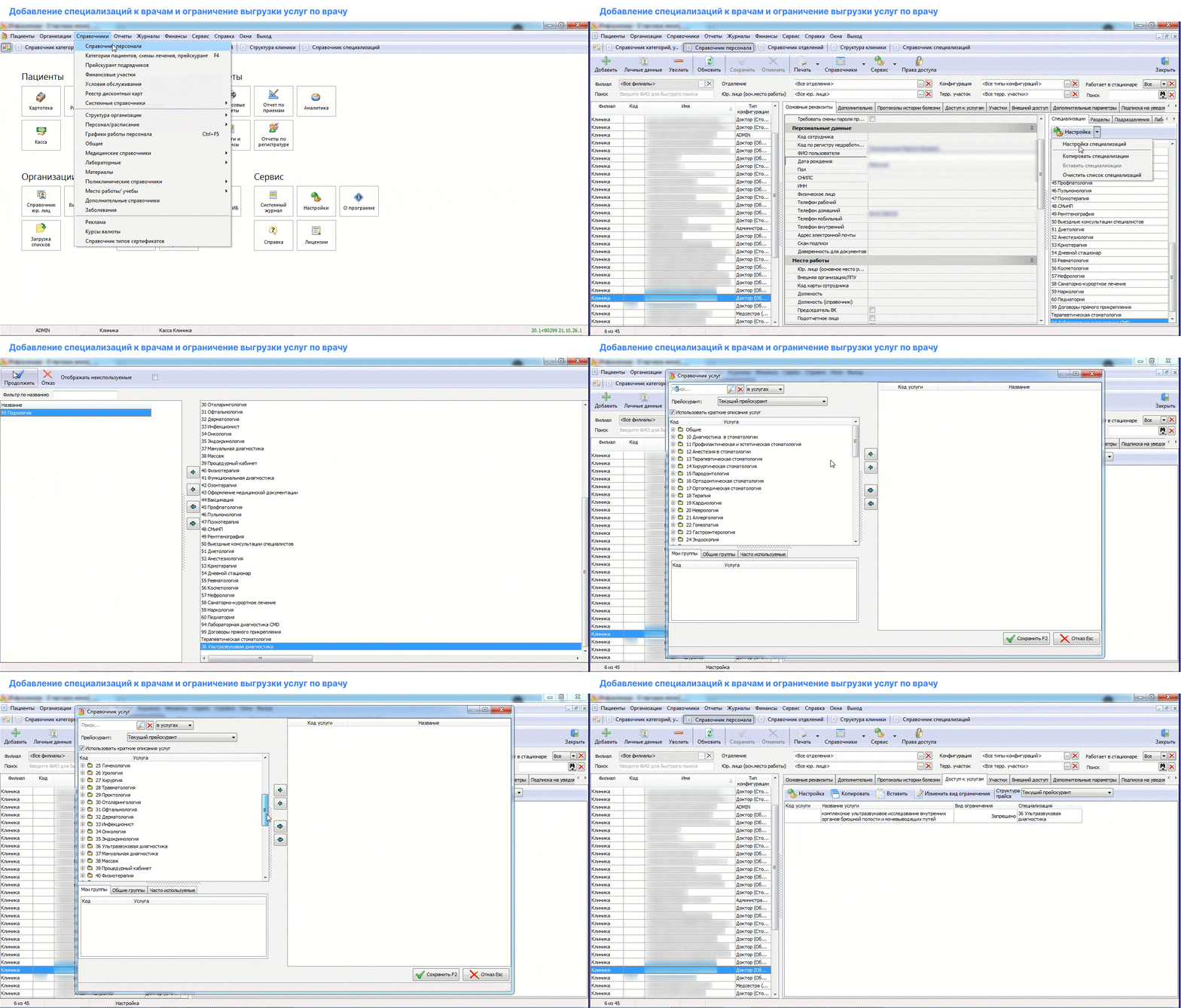
- Add to the doctors the specializations of the services they provide. To do this, go through the pop-up menu to the directories in the program header in the personnel directory.
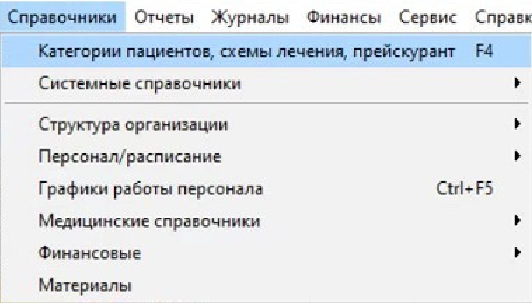
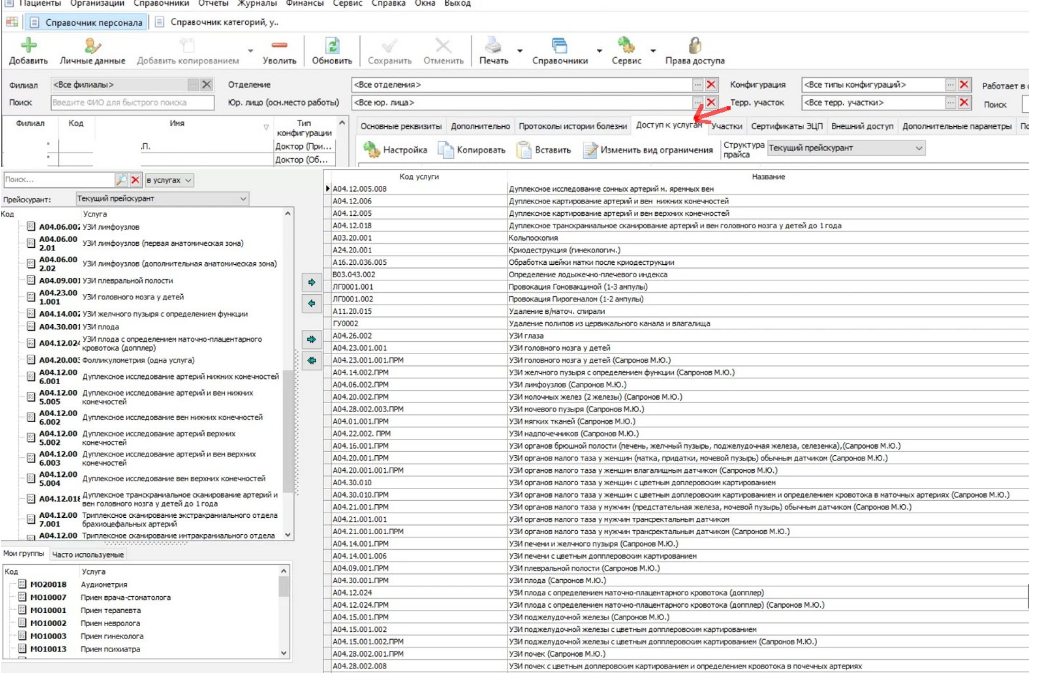
Important! If you can't find the directory, or «Доступ к услугам»perhaps the user you signed in to the program doesn't have enough rights.
There is no tab in older versions of MIS«Доступ к услугам». In this case, fill out the specialization only with the services provided by the doctor.
2. Select a doctor and add the specialties of the services he provides.
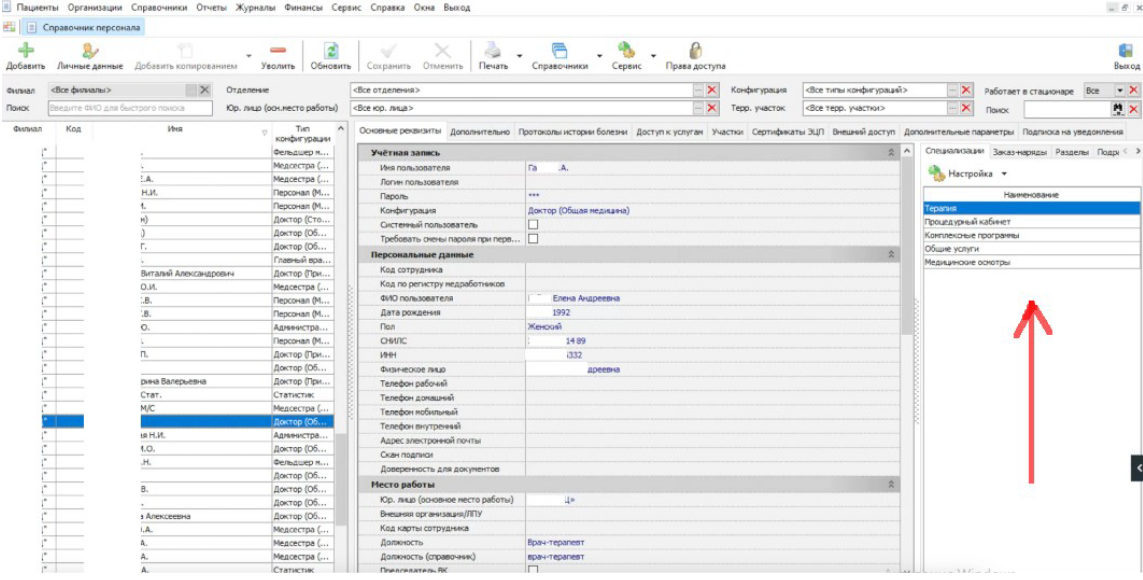
After adding a specialization, it will be assumed that all services related to it are provided by this doctor.
3. If the doctor does not provide any of the services added to the specialization, block them in the section«Доступ к услугам».
Step-by-step video instructions:
Part 2. Specifying the duration of the service
For the online recording to work correctly, specify the duration of the service provision.
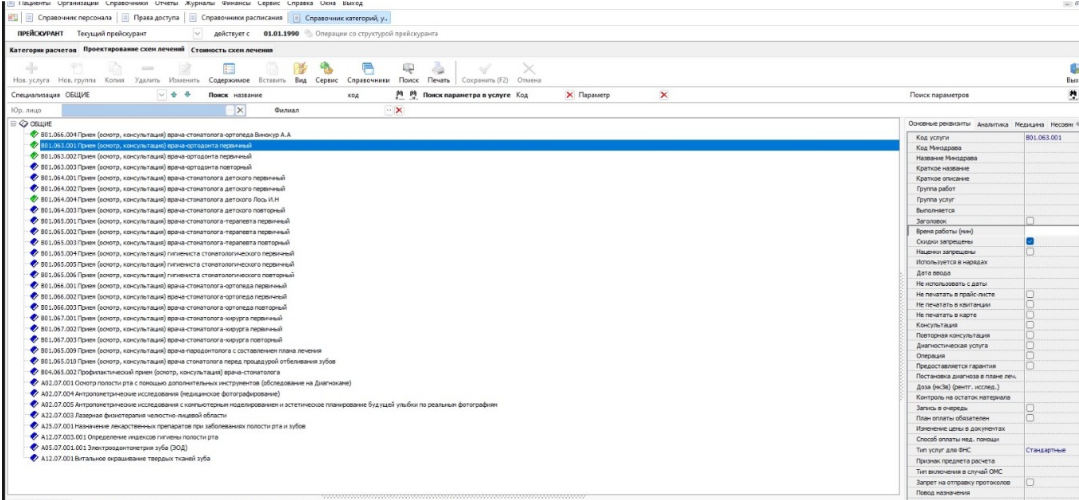
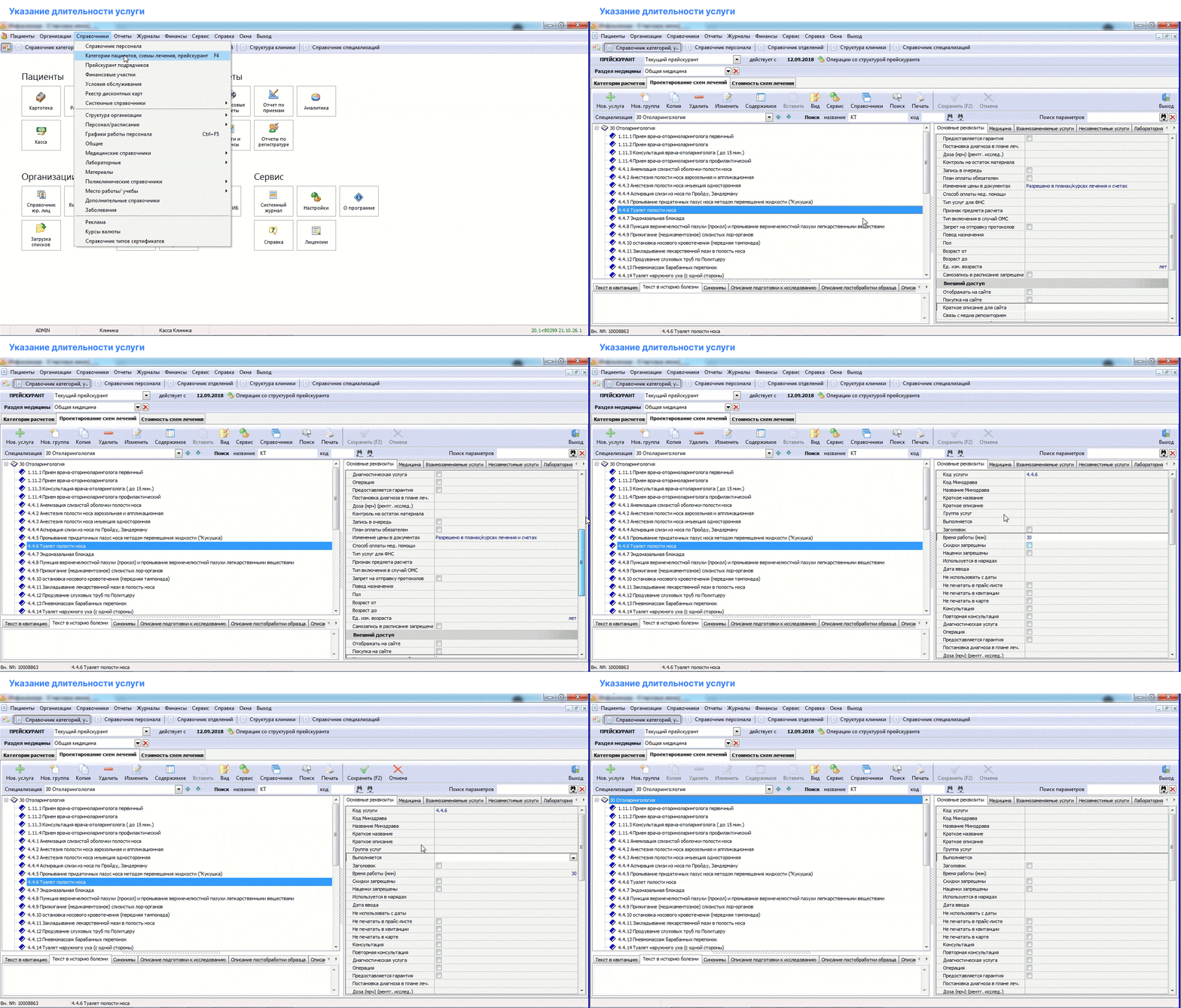
- Go to «Справочники»and click on«Категории пациентов, Схемы лечения, Прейскурант»
- Select a service and fill in the field«Время работы (мин») in the right column.
Step-by-step video instructions:
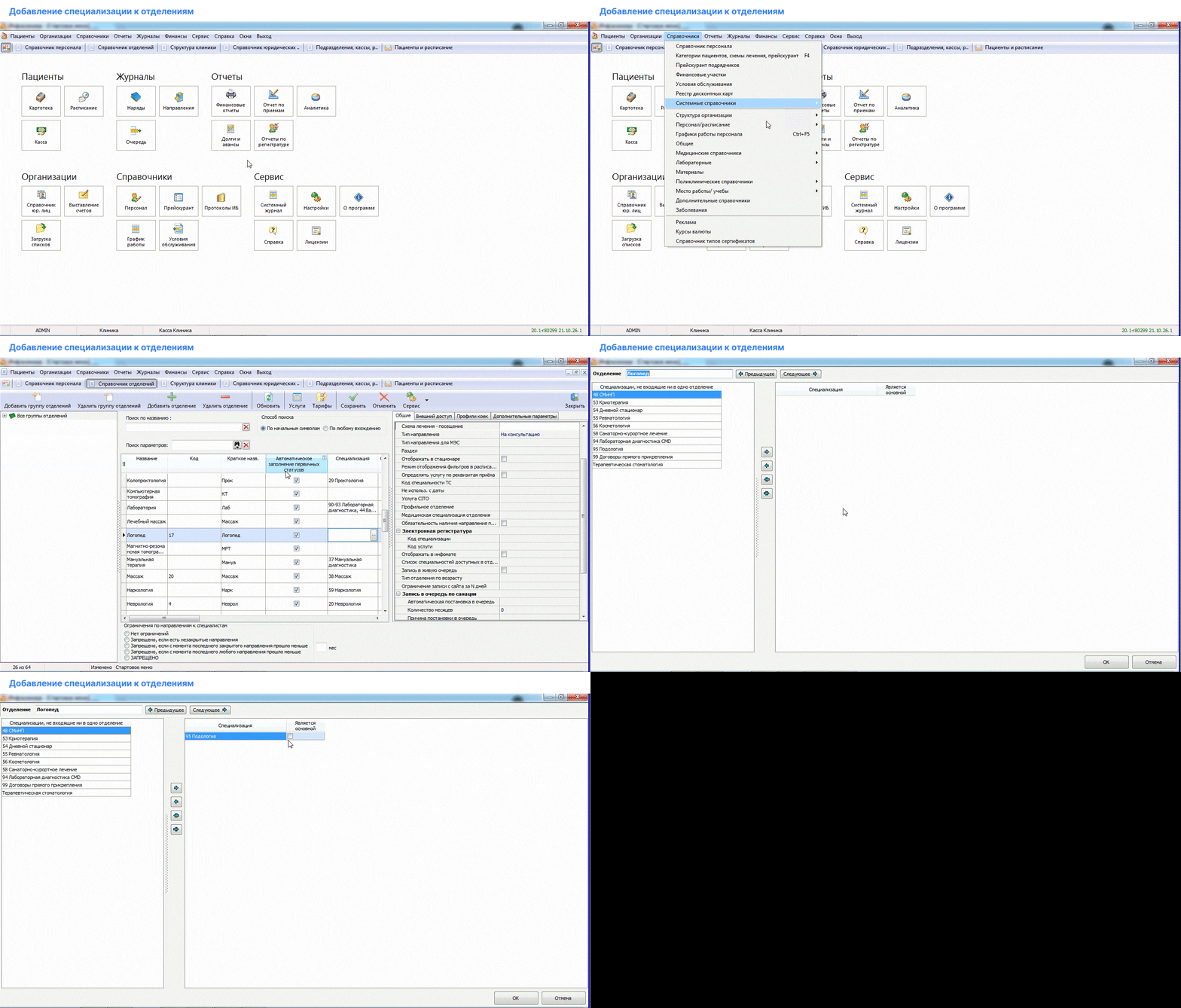
Part 3. Adding specialization to departments.
- Log in «Справочники», then «Структура организаций»open «Справочник отделений»it .
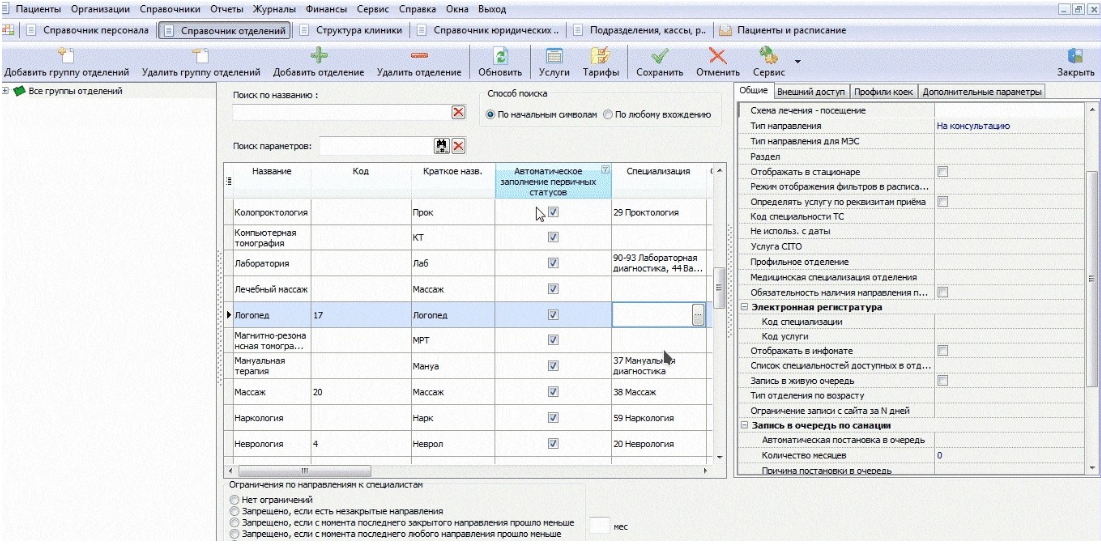
2. Fill in the field «Специализация»for each branch where you need to register for services.
Step-by-step video instructions: